-144-
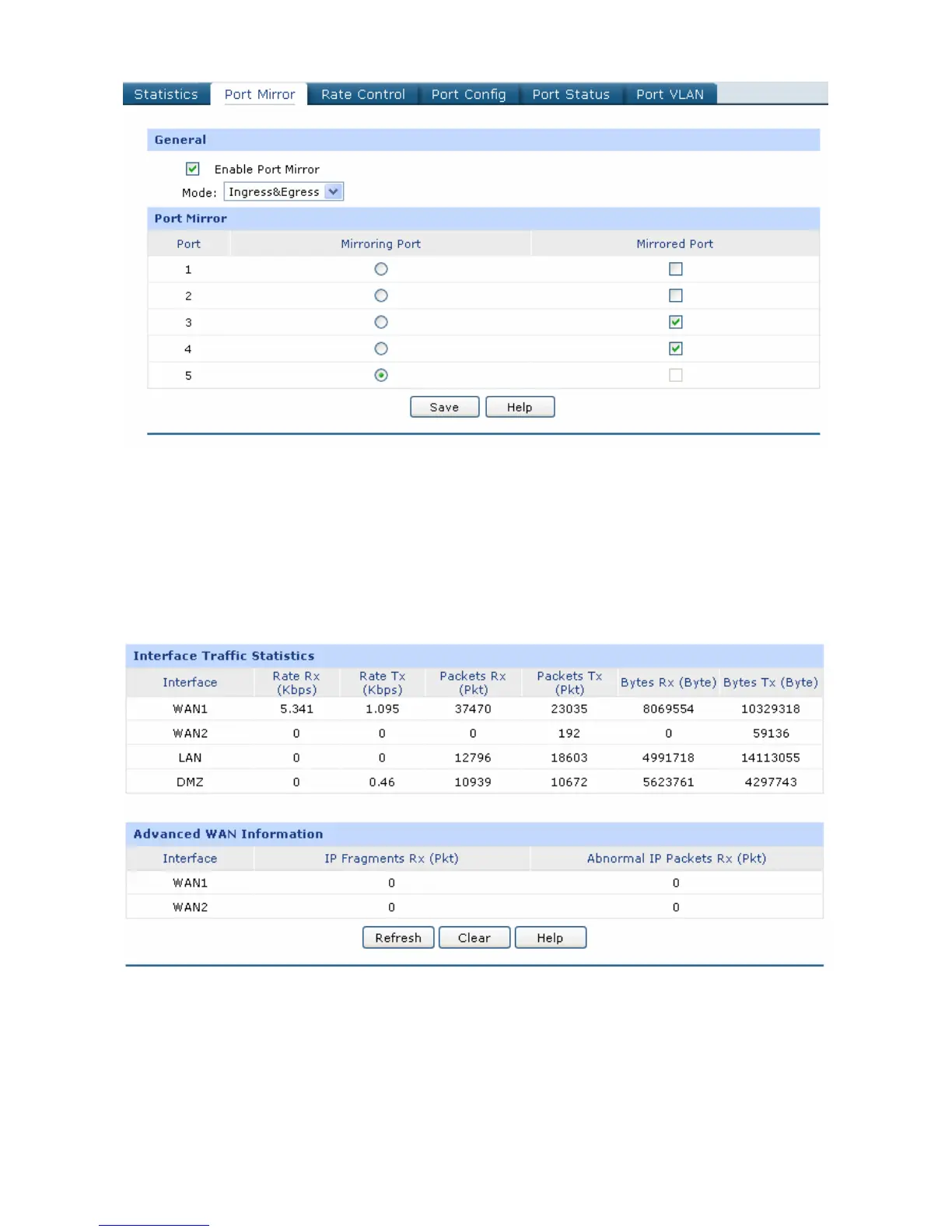
Figure 4-21 Port Mirror
2) Statistics
Choose the menu Maintenance→Statistics to load the page.
Load the Interface Traffic Statistics page to view the traffic statistics of each physical interface of the
Router as Figure 4-22 shows.
Figure 4-22 Interface Traffic Statistics
Load the IP Traffic Statistics page, and Check the box before Enable IP Traffic Statistics and
Enable Auto-refresh, then click the <Save> button to apply. Select the data direction, the
corresponding IP traffic statistics will display in the Statistics table as Figure 4-23 shows.


 To Next Page