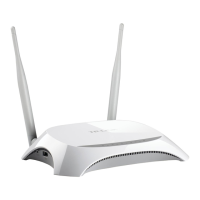
TL-MR3420 3G/3.75G Wireless N Router
-5-
¾ RESET:
There are two ways to reset to the Router's factory defaults:
1) Use the Factory Defaults function on “System Tools -> Factory Defaults” page in the
Router's Web-based Utility.
2) Use the Factory Default Reset button: With the Router powered on, use a pin to press
and hold the Reset button (about 5 seconds) until the SYS LED becomes quick-flash
from slow-flash. And then release the button and wait the Router to reboot to its factory
default settings.











 To Next Page