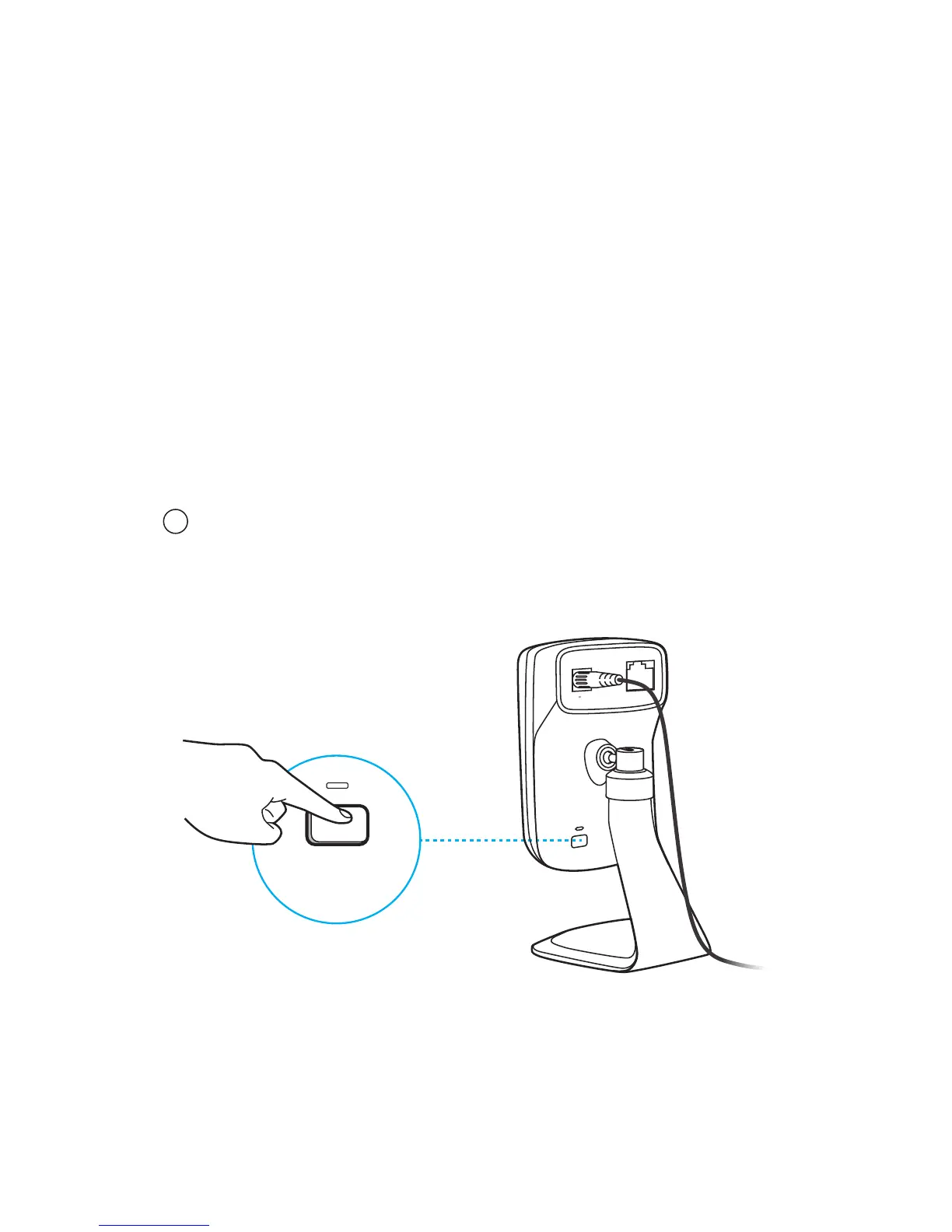
WPS/RESET
Press & Hold for 5 seconds
ETHERNET
9V
0.6A
WPS/RESET
While the camera is powered on, press the
WPS/RESET button for 5 seconds until the
System LED on the front panel goes off. The
camera will reset and reboot.
WPS (Wi-Fi Protected Setup):
If your Wi-Fi router supports WPS, you can
connect the camera to your Wi-Fi network
using WPS. For details, see the camera’s User
Guide.
Resetting a registered camera will remove it from your
TP-LINK Cloud account.
Note
!
Reset:
How to use the WPS/RESET Button




 To Next Page