-33-
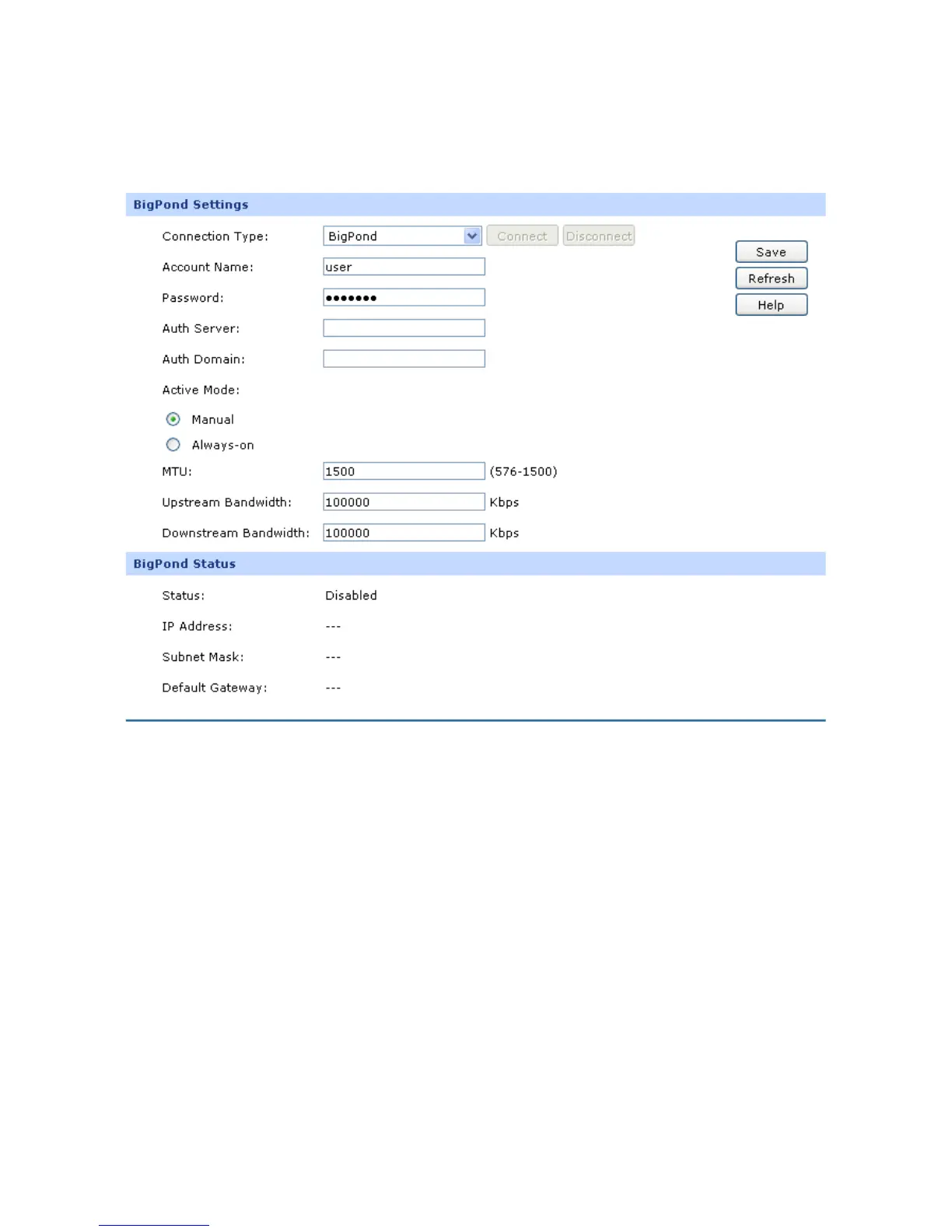
6) BigPond
If your ISP (Internet Service Provider) has provided the account information for the BigPond
connection, please choose the BigPond connection type.
Figure 4-8 WAN – Bigpond
The following items are displayed on this screen:
BigPond Settings
Connection Type:
Select BigPond if your ISP provides a BigPond connection. Click
<Connect> to dial-up to the Internet and obtain the IP address. Click
<Disconnect> to disconnect the Internet and release the current IP
address.
Account Name:
Enter the Account Name provided by your ISP. If you are not clear,
please consult your ISP.



 To Next Page