EN – 10
6 Riding information
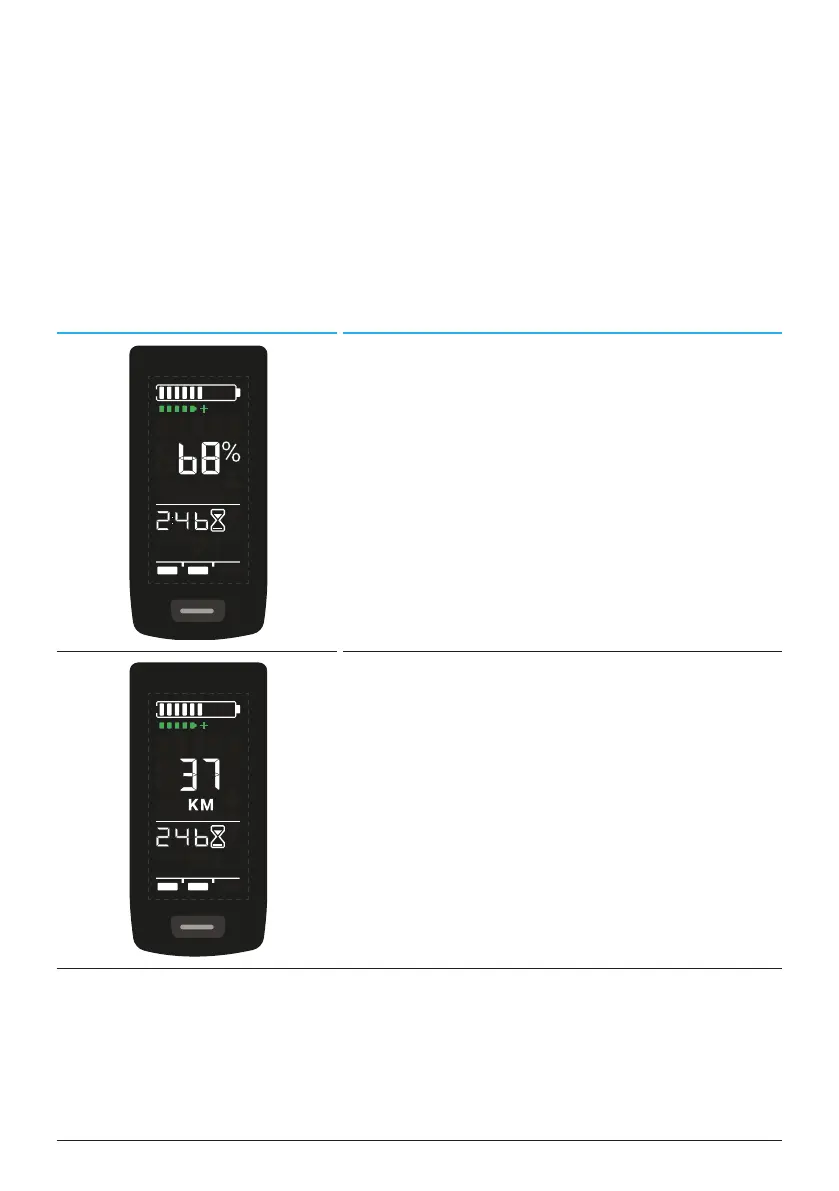
In the center of the Display, riding information can be shown on 4 different
screen views. Regardless of the currently selected view, the state of charge of
the Battery and optional range extender is Displayed at the top edge and the
selected assistance mode is Displayed at the bottom edge.
► With a short press on the button on the Display (pos. 5 in Fig. 1) you
switch to the next screen view.
Screen view Riding information
— Battery state of charge in percent (68 %
in this example).
— Remaining time for drive unit support (in
this example 2 h and 46 min).
— Riding range in kilometers or miles (37
km in this example), the range calcu-
lation is an estimate that depends on
many parameters (see section 11.3 on
page 18).
— Remaining time for drive unit support (2
h and 46 min in this example).



 To Next Page