EN – 9
5 Setup-Mode
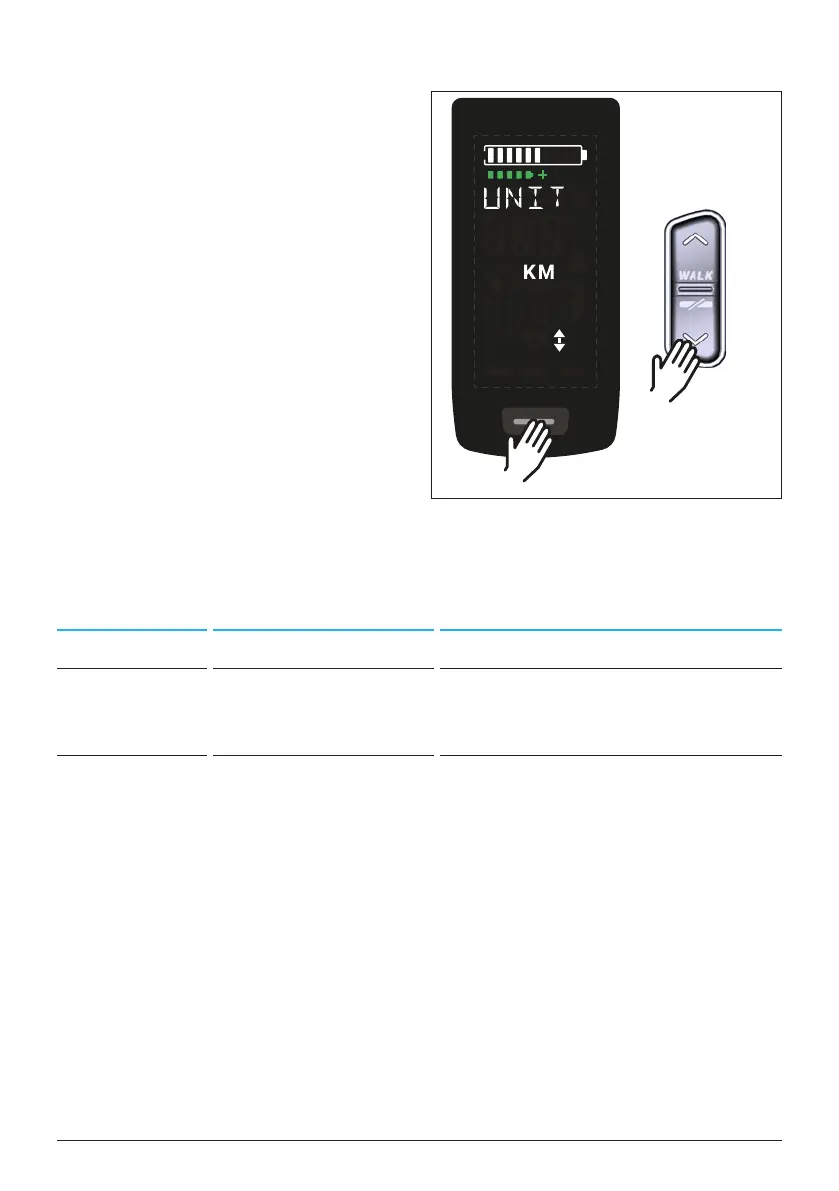
5.1 Setup-Mode activate
► Switch off the drive system.
► Press and hold the button on the
Display (pos. 5 in Fig. 1) and the
DOWN button on the Remote
(pos. 2 in Fig. 2) for at least 5
seconds.
5.2 Settings
The following settings can be made in
the setup-mode:
Setting Default value Possible values
Measure metric (km) metric (km) or angloamerican (mi)
Acoustic
acknowledge
signal
ON (sounds with each
buttonpress)
ON, OFF
Walk assist ON ON, OFF
Tab. 3: Settings in Setup-Mode
► Use the buttons on the Remote to scroll through the respective menu.
► Confirm the selection made with the button on the Display. The next
selection is then Displayed or the setup mode is terminated.
► The Display screen can be changed by pressing the Remote button (> 3s)
if the walk assist function is deactivated due to country-specific laws and
regulations.
Fig. 4: Setup-Mode activate
>5 s
>5 s
+



 To Next Page