8
User Manual
MobiDrive
Car camera
EN
Read this user manual before using your dashcam to make full use of all
its functions. Design, accessories, and specications subject to change wi-
thout notice.
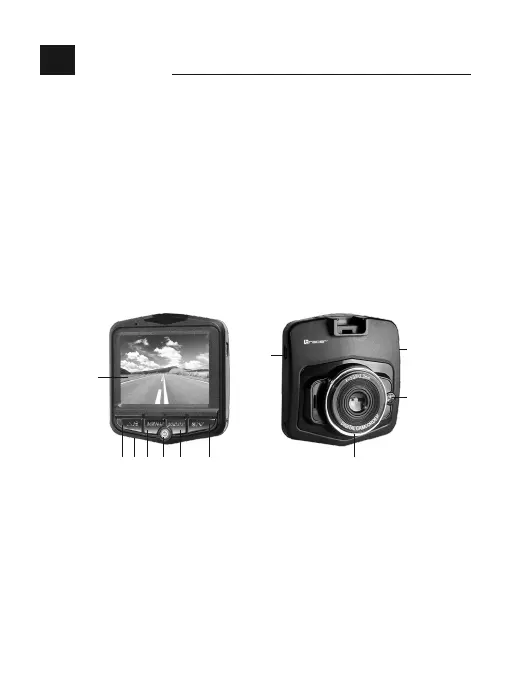
1 8
9
11
10
4 352
6
7
1. On/o/OK button
2. Up / mute microphone
3. Down / LED
4. Mode button
5. Menu button
6. LCD display
7. Microphone
8. Lens
9. Night light
10. USB port
11. MicroSD card slot
1. On/o/OK button
Turning the device on: Short press the [Power] button to turn the device on and start
recording if there is a microSD card present. If the device is turned on, long press the
[Power] button to save data and turn o the camera.



 To Next Page