
 Need help?
Do you have a question about the TrackiSafe TRKM014 TS and is the answer not in the manual?
Configure contacts to receive alerts for events like SOS, low battery, or movement.
Details on using the SOS button and how assigned contacts are notified of press events.
Learn to set up virtual boundaries and receive alerts when the tracker enters or leaves defined areas.
Set up notifications to be alerted when the tracker exceeds a specified speed limit.
Enable notifications to be alerted as soon as the tracker begins to move.
Configure alerts to be notified when the device's battery level becomes low.
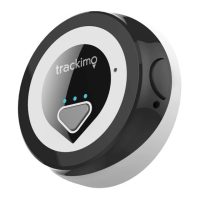
Explanation of the different light indicators and what they signify on the TrackiSafe device.
Guides for the initial setup, charging, and basic operation of the device for first-time users.
Steps to download necessary apps and activate your TrackiSafe device.
How to verify if the tracker is powered on and connected to the network.
 General
| Device Type | GPS Tracker |
|---|---|
| Connectivity | 4G LTE Cat-M1 |
| Water Resistance | IP65 (Water Resistant) |
| Geofencing | Yes, unlimited geofences |
| Mobile App | iOS and Android |
| Subscription | Required, multiple plans available |
| Charging Time | 2-3 hours |
| Operating Temperature | -4°F to 131°F (-20°C to 55°C) |
| Tracking Interval | Adjustable, from 1 minute to 24 hours |

 To Next Page