EasyManua.ls Logo

Trackunit TU600-25 - User Manual

Default Icon
38 pages
Print Icon
To Next Page IconTo Next Page
Loading...
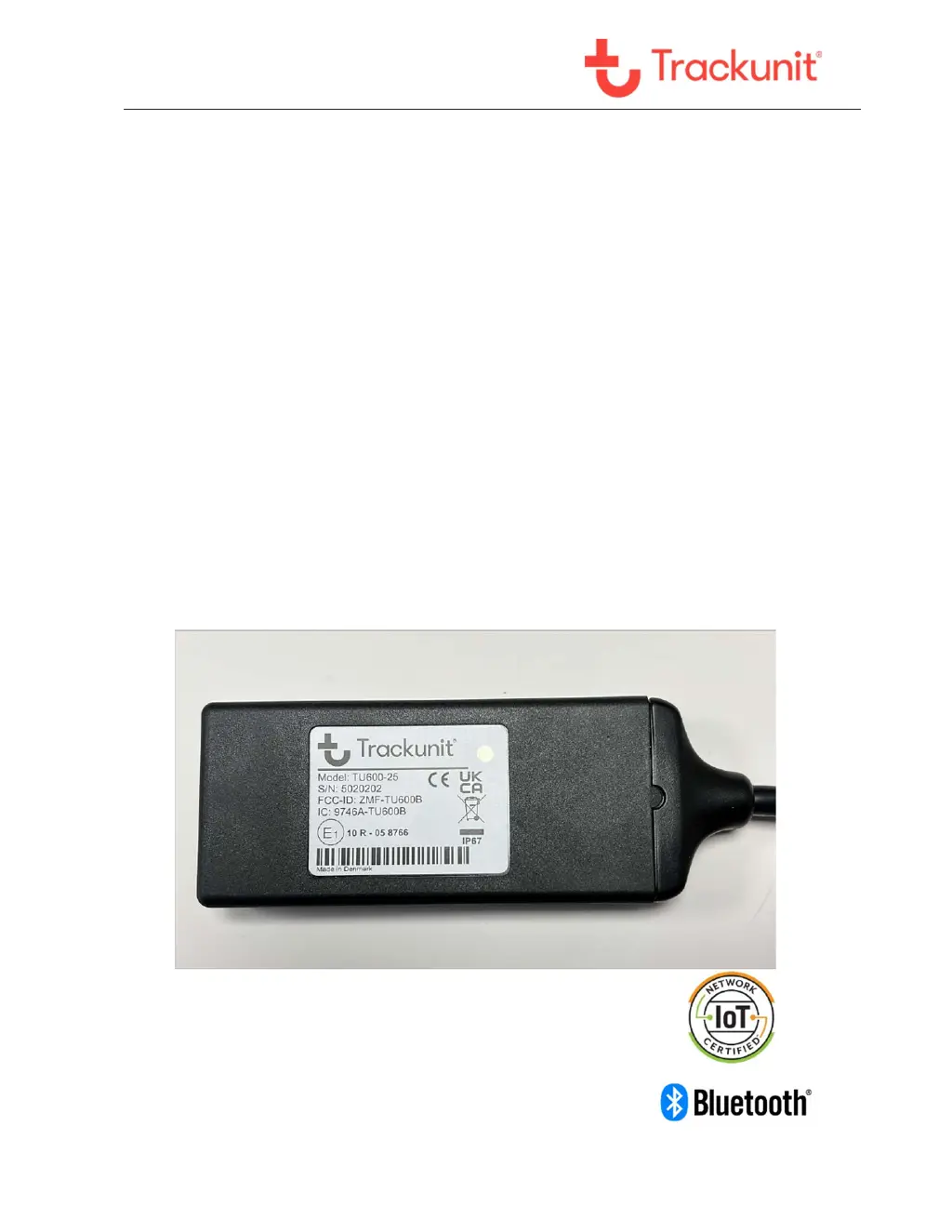
TU600B
TU600B
Technical Manual
Version 1.0, March 2022

Questions and Answers

  • S
    Stacy MaldonadoAug 10, 2025
    What to do if my Trackunit Automobile Accessories unit does not answer SMS commands?
    • L
      Leonard ParksAug 10, 2025
      If your Trackunit Automobile Accessory isn't responding to SMS commands, first ensure the SMS messages are being sent to the correct GSM/LTE phone number. Also, verify that the SIM card is correctly mounted in the unit. If the unit was delivered with the SIM card already installed, contact Trackunit support. Alternatively, contact the mobile operator to check for any issues with the SIM card.
  • M
    Mr. Adam RogersAug 18, 2025
    Why is the LED on my Trackunit Automobile Accessories unit constant red?
    • K
      karenlewisAug 18, 2025
      If the LED on your Trackunit Automobile Accessories unit is constantly red, indicating it's not connected to the GSM/LTE network, verify the SIM card is correctly installed in the unit. Also, ensure the PIN code has been disabled on the SIM card before inserting it. If the unit was delivered with the SIM card already installed, contact Trackunit support, or contact the mobile operator to check for any issues with the SIM card.
  • S
    Stephen KennedyAug 26, 2025
    What to do if Trackunit Automobile Accessories sends reply messages but there is no GPS signal?
    • D
      Daniel StewartAug 26, 2025
      If your Trackunit Automobile Accessories unit sends reply messages but shows no GPS signal, ensure that the unit is mounted correctly, following the instructions regarding aerial view. If the machine or vehicle is inside a building, move it outside and try again.
  • J
    Jason GarzaSep 2, 2025
    How to fix a Trackunit Automobile Accessories unit when the LED is off?
    • W
      williamchanSep 2, 2025
      If the LED on your Trackunit Automobile Accessories unit is off, indicating no power, check that the installation was performed correctly according to the installation guidelines.

Summary

Safety First and Guidelines

General Safety Guidelines

Basic safety rules, prohibited operation areas, and body contact avoidance.

Detailed Safety Information

Radio Frequency Signal Exposure

Unit is a low power transmitter/receiver emitting RF signals periodically when active.

Hazardous Environments and SAR Guidelines

Safety in explosive atmospheres, airbag considerations, and SAR guidelines.

Battery Safety Information

Battery Handling and Automatic Safety

Guidelines for battery disposal, handling, and automatic safety features during operation.

Installation Guidance

Unit Placement and Insurance Advice

Guides on optimal unit placement, avoiding metal, and insurance/anti-theft installation.

Functionality and Status Checks

LED Status Indication Guide

Explains the meaning of LED modes and colors for device status like network and GPS.

Installation Verification

Using the Verify Trackunit Tool

Guide on using the 'Verify my Trackunit' tool for installation checks and basic configuration.

Troubleshooting Common Issues

Error Codes and Solutions

Lists common error codes, descriptions, and possible solutions for device issues.

Output Control and Support

SMS Commands and Safety Precautions

SMS commands for output control and safety precautions for its use.

Technical Assistance and Specifications

Support, RMA, and Product Overview

Info for technical support, RMA process, product specs, and connection details.

Connection Details

Details on operational voltage, consumption, and standby times.

Temperature and Communication Specifications

Internal/external temperature ranges, GSM/GPRS, and LTE M1/NB2 band specifications.

Approvals and Certifications

Country-Specific Approvals

Model Country Approval Certificates

Trackunit TU600-25 Specifications

General IconGeneral
Operating Voltage9-36 V DC
Ingress ProtectionIP67
GPSYes
Operating Temperature-30°C to +70°C
Cellular4G LTE
GNSSGPS/GLONASS
BluetoothYes
Accelerometer3-axis
Device TypeTelematics device
ConnectivityBluetooth
Battery LifeUp to 5 years

Related product manuals