Battery Power
Battery Power
Battery powered signs come with one or more rechargeable batteries. Depending on your preferences
these batteries will be either lithium or lead acid. Though they are shipped with the sign, typically, the
batteries are not installed in the sign. When you receive the sign, you need to remove the batteries from
their packaging and install them in the sign.
Charging the Batteries
We strongly recommend that you charge the batteries fully before the initial use. The supplied battery
charger is equipped with a charge indicator which shows when the battery is fully charged and ready for use.
To charge the batteries:
1. Connect the charger to the battery.
2. Plug the charger into the wall.
When the charger indicates that the battery is fully charged, the battery is ready for use.
3. Unplug the charger from the wall before you disconnect the battery.
Installing Lead Acid Batteries in SafePace Evolution Signs
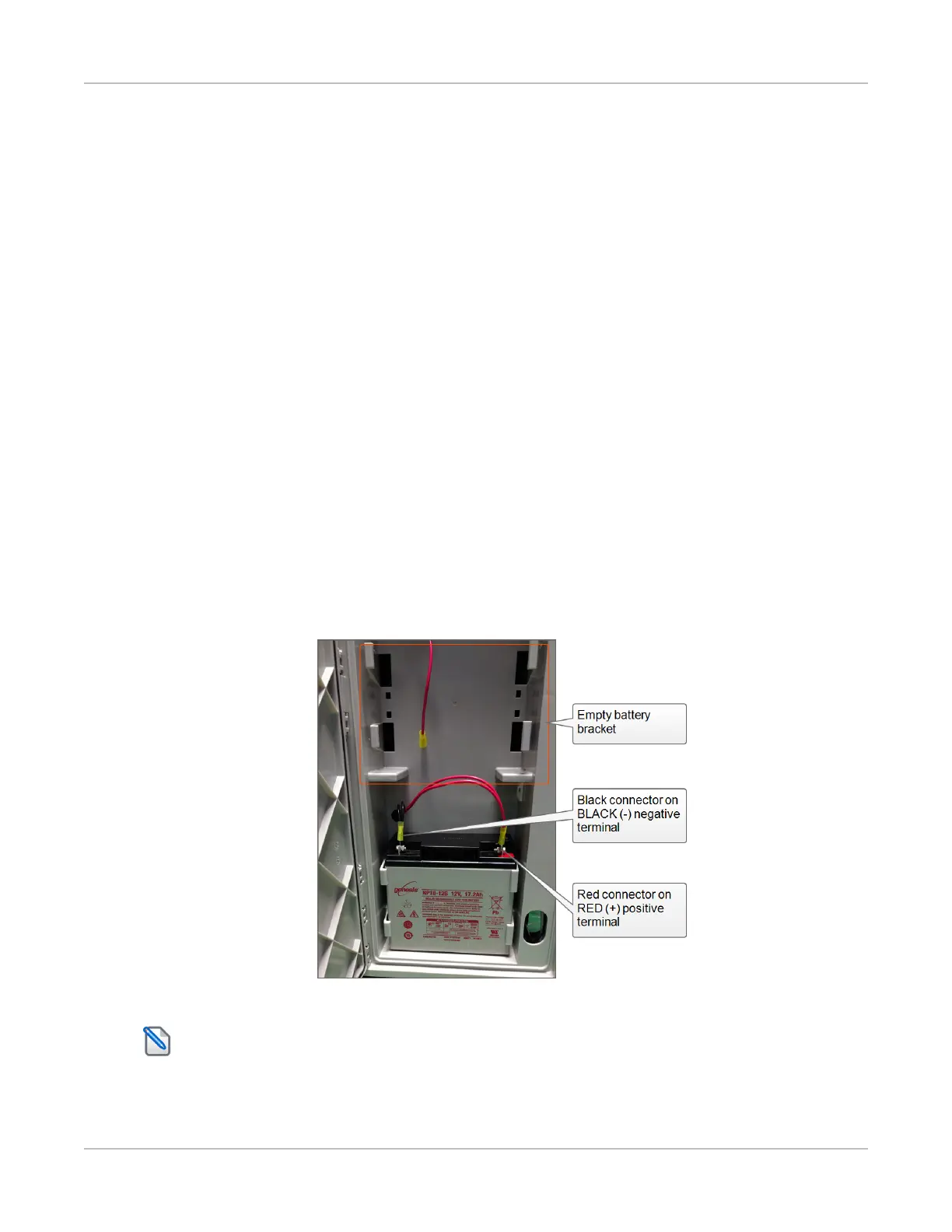
Your SafePace EV15SD holds up to four rechargeable lead-acid batteries. Each battery should be placed
with care into a battery bracket inside the sign.
Figure 8: Lead acid battery inserted and connected
NOTE: This image is for illustrative purposes only and the number of batteries in your sign may be
different from that shown.
SafePace® Evolution 15SD Installation Manual p. 18



 To Next Page