4
6. BACK PANEL CONNECTION:
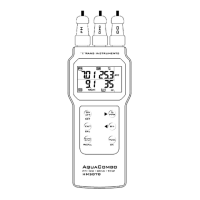
7. DISPLAY PANEL:
1 – Measurement functions indicator
2 – Units of measurement
3 – Indicates reading with automatic temperature compensation
4 – Sub-display for Temperature display or program number in
SETUP mode or buffer standard in CALIBRATION mode.
5 – Real time clock in “Year-Month-Date / Hour
:
Minute
:
Second”
6 – Memory data counter and CALIBRATION mode indicator
7 – Memory recall / review indicator:
MEM – Flash momentarily while data is being saved
MAX – Maximum reading of all saved data displayed
MIN – Minimum reading of all saved data displayed
REC – Flashing while recall mode is initiated
HOLD – Display put on hold
READY – When the READY feature is enabled, during measurement it will
flash, indicating measurement in progress. When stopped,
indicates reading has stabilized.
7
5
4
2
1
6
3
Socket for RS232 cable



 To Next Page