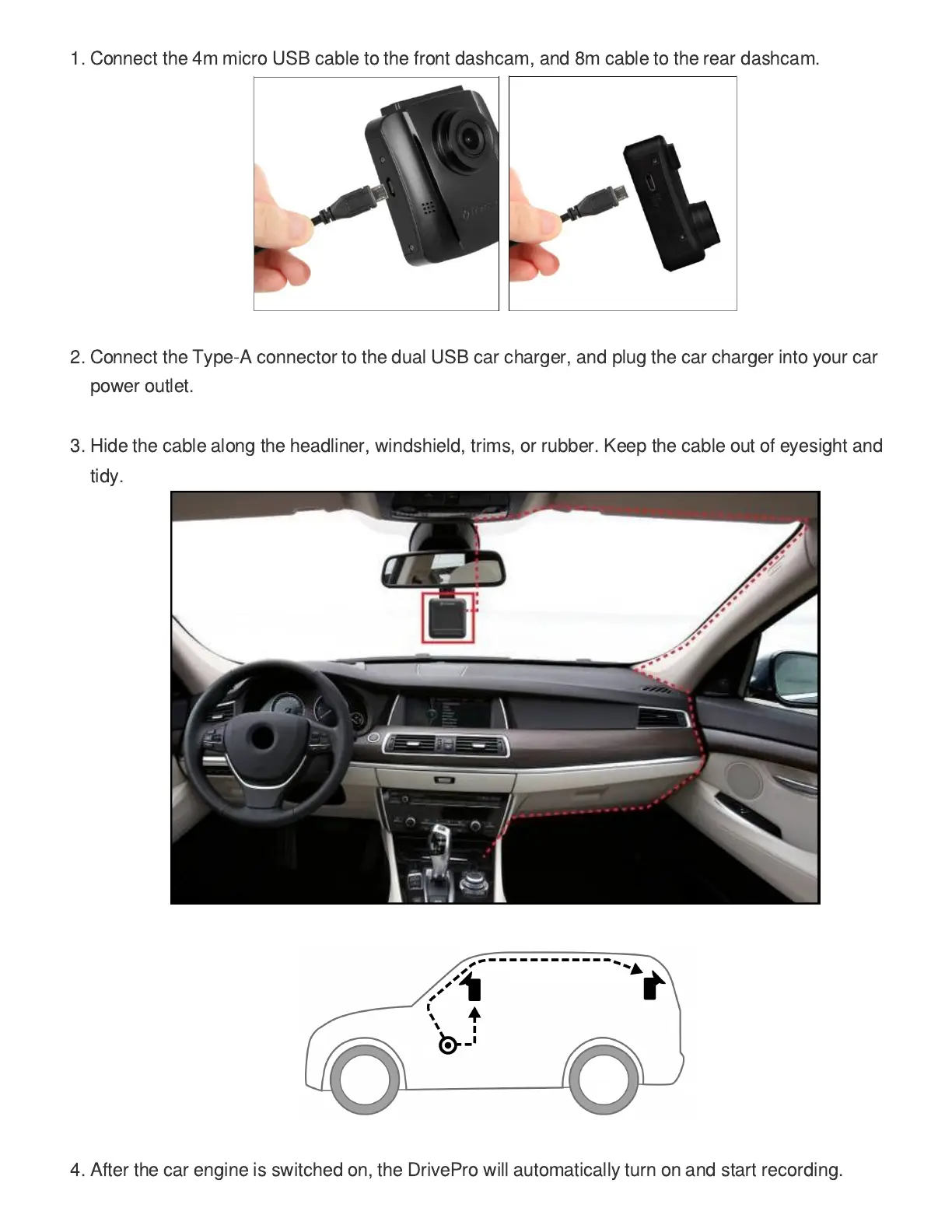
1. Connect the 4m micro USB cable to the front dashcam, and 8m cable to the rear dashcam.
2. Connect the Type-A connector to the dual USB car charger, and plug the car charger into your car
power outlet.
3. Hide the cable along the headliner, windshield, trims, or rubber. Keep the cable out of eyesight and
tidy.
4. After the car engine is switched on, the DrivePro will automatically turn on and start recording.















 To Next Page