2-6 Function Buttons
Front Camera (DrivePro 250)
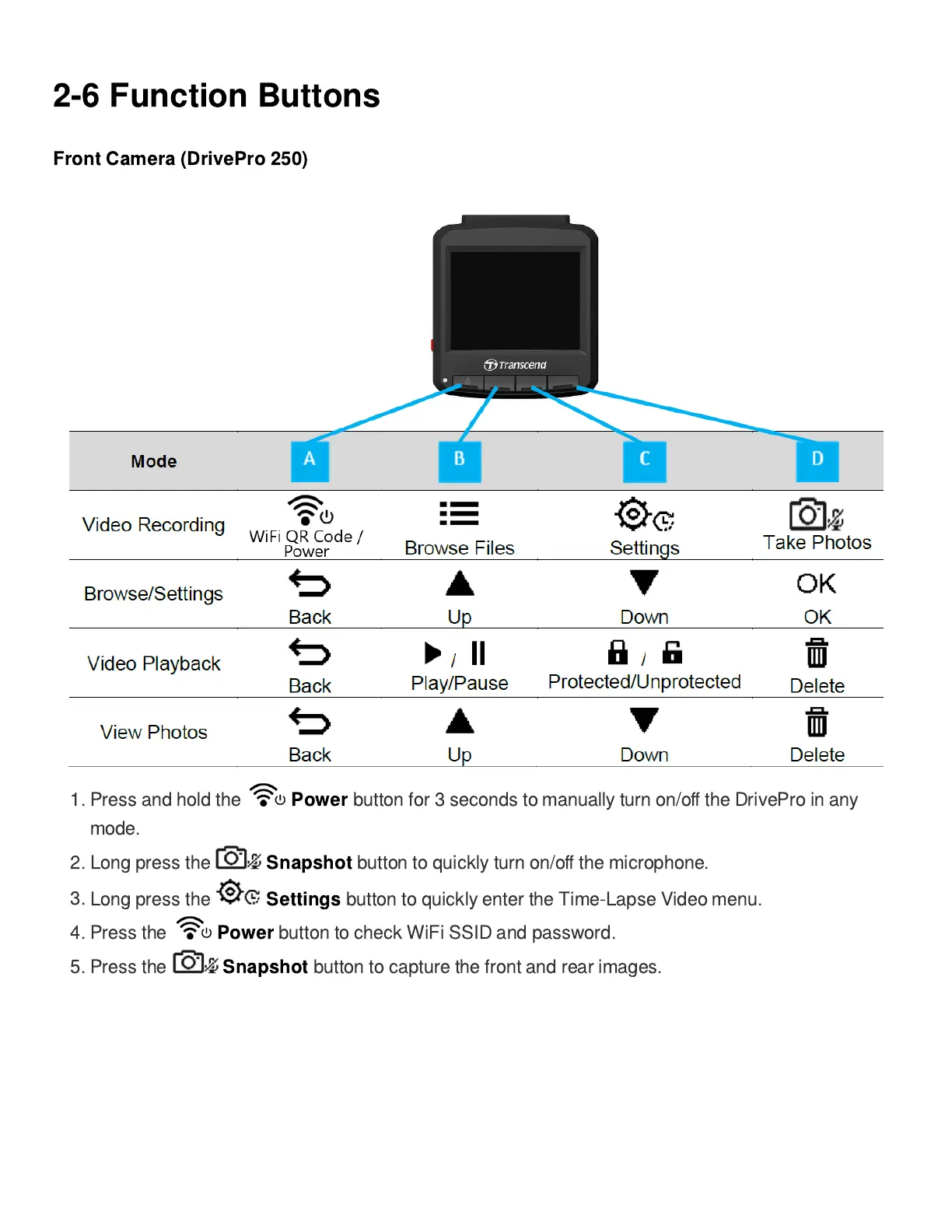
1.
Press and hold the
Power
button for 3 seconds to manually turn on/o
ff
the DrivePro in any
mode.
2. Long press the
Snapshot
button to quickly turn on/o
ff
the microphone.
3.
Long press the
Settings
button to quickly enter the Time-Lapse Video menu.
4.
Press the
Power
button to check WiFi SSID and password.
5. Press the
Snapshot
button to capture the front and rear images.















 To Next Page