6
Basic Operation︱
Plugging in the CD/DVD Writer
1.
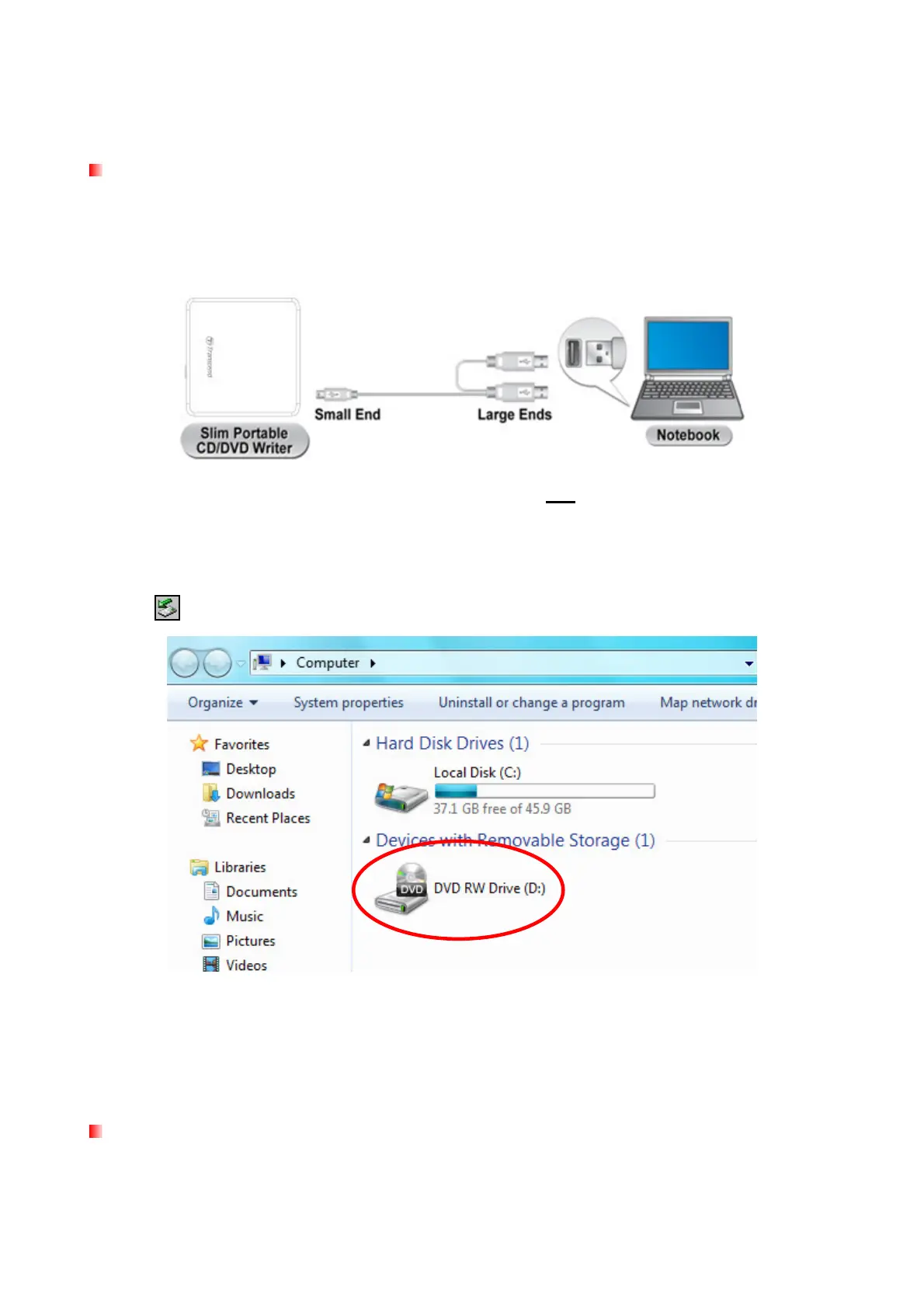
Plug the small end of the USB Cable into the Mini USB port on the CD/DVD Writer.
2.
Plug the large end(s) of the cable into available USB ports on your desktop computer, notebook
or netbook.
Note: Please be sure to connect the CD/DVD Writer to two USB ports on your computer
using the provided USB Cable.
3.
When the CD/DVD Writer is successfully connected to a computer, a new drive with a newly
assigned drive letter will appear in the My Computer window, and a Removable Hardware
icon will appear on the Windows System Tray.
*D: is an example drive letter. The letter in your "My Computer" window may differ
4.
Once properly connected, you can use the CD/DVD Writer as an optical device to read CDs
and DVDs, and create/write your own discs with the included Power2Go software.
Inserting a Disc
1.
Press the Eject Button on the front of the CD/DVD Writer to release the disc tray.


 To Next Page