28
Equipment Management
1. New/Edit/Delete Terminal Group
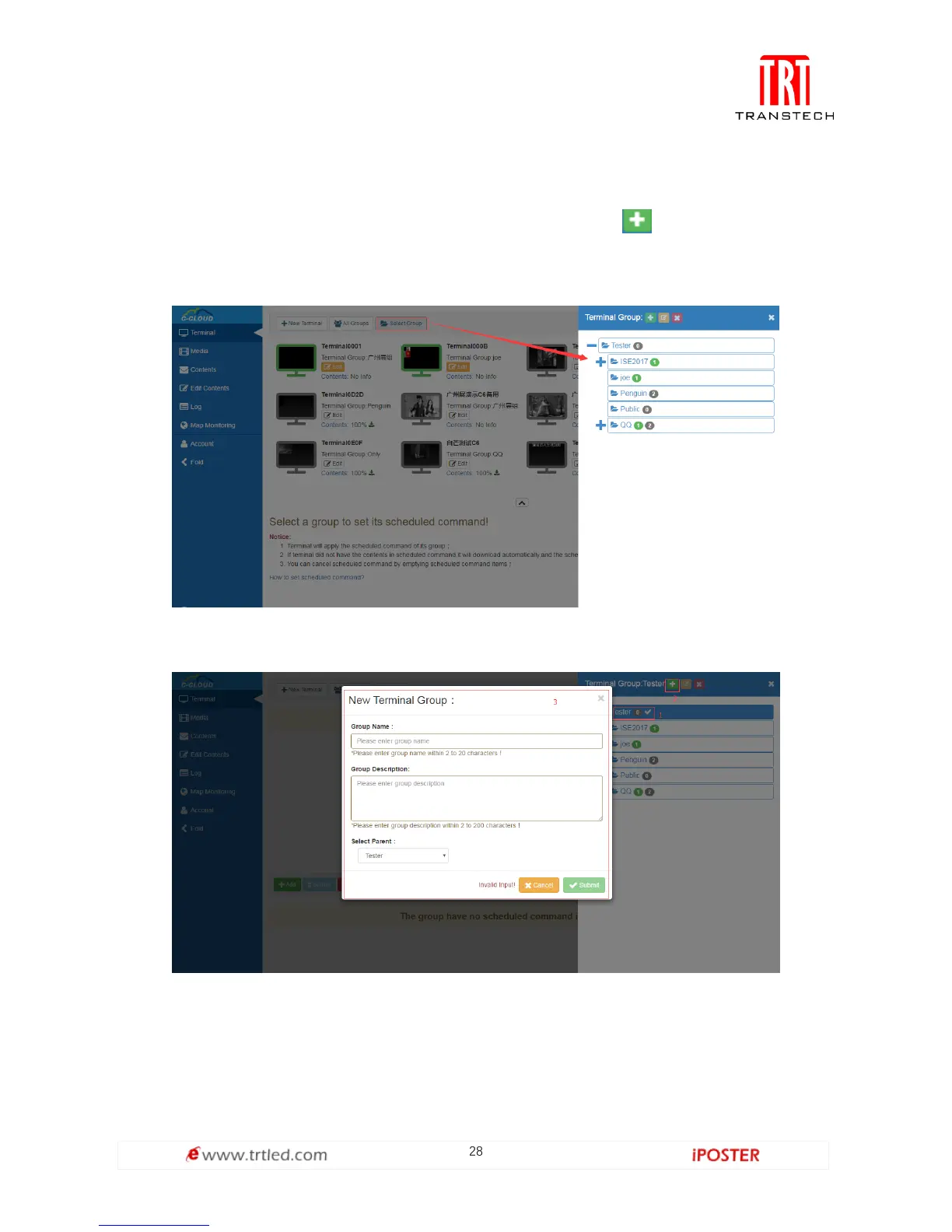
On the home page, click Terminal-->Select Group, and click to enter the page for
adding a new terminal group (Figure 1.3.1-1). As shown in Figure 1.3.1-2, fill in the
information and click Submit, a new terminal group is built.
Figure 1.3.1-1
Figure 1.3.1-2



 To Next Page