29
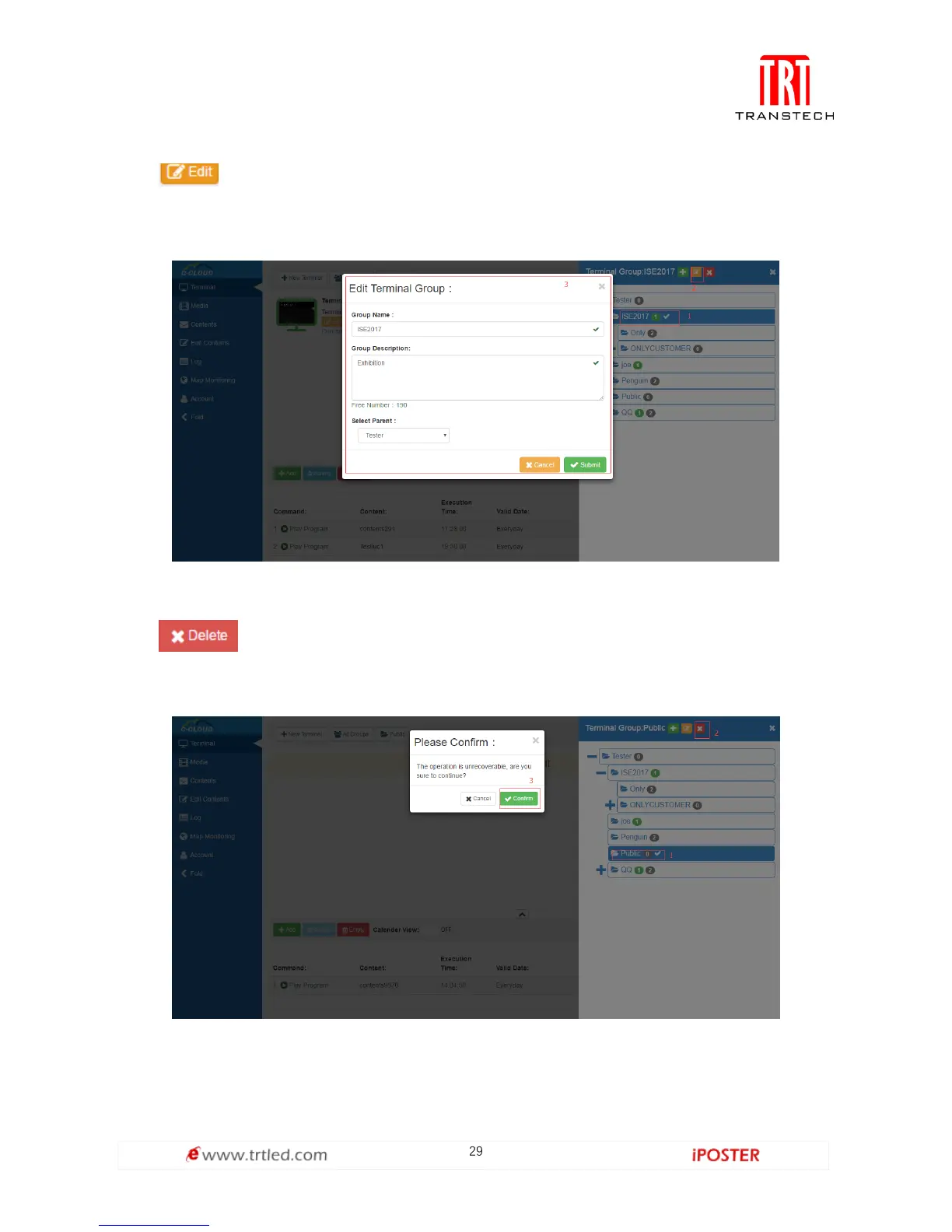
Click , and you can re-edit the information of terminal group, the interface is
shown in Figure 1.3.1-3 (Note: You cannot re-edited initial terminal group, only the
child terminal group can be re-edited).
Figure 1.3.1-3
Click , and you can delete selected terminal group and terminals under it, as
shown in Figure 1.3.1-4 (Note: Initial terminal group cannot be deleted).
Figure 1.3.1-4



 To Next Page