18
C6 Parameter Settings
Connection Settings
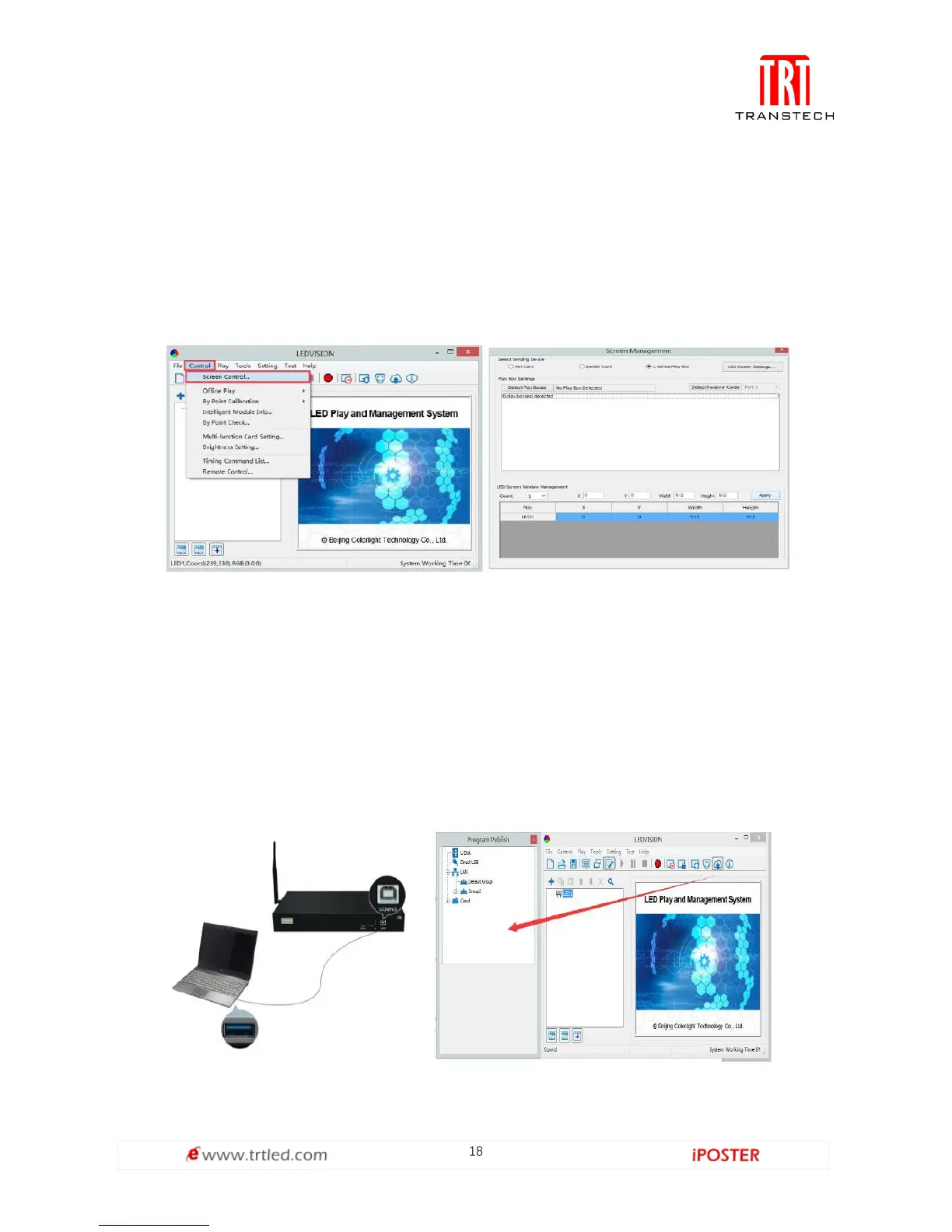
1. Before connecting your C6 to the computer, first click the control menu [ Control ]
→ [ Screen Control ], then select [ C-Series Play Box ] in Select Sending Device, then
set up [ LED Screen Window Management ].
Note: If you do not complete this step, LEDVISION may not function properly because
of a conflict between Net Card mode and C6 config interface.
2. Use standard USB A/B cable to connect C6 to computer when C6 is powered on,
one side to connect USB port, another side for C6 config port.
Click [ Publish Program to C Series Playboxes ] (as shown in the red box) to enter
program publish interface.



 To Next Page