19
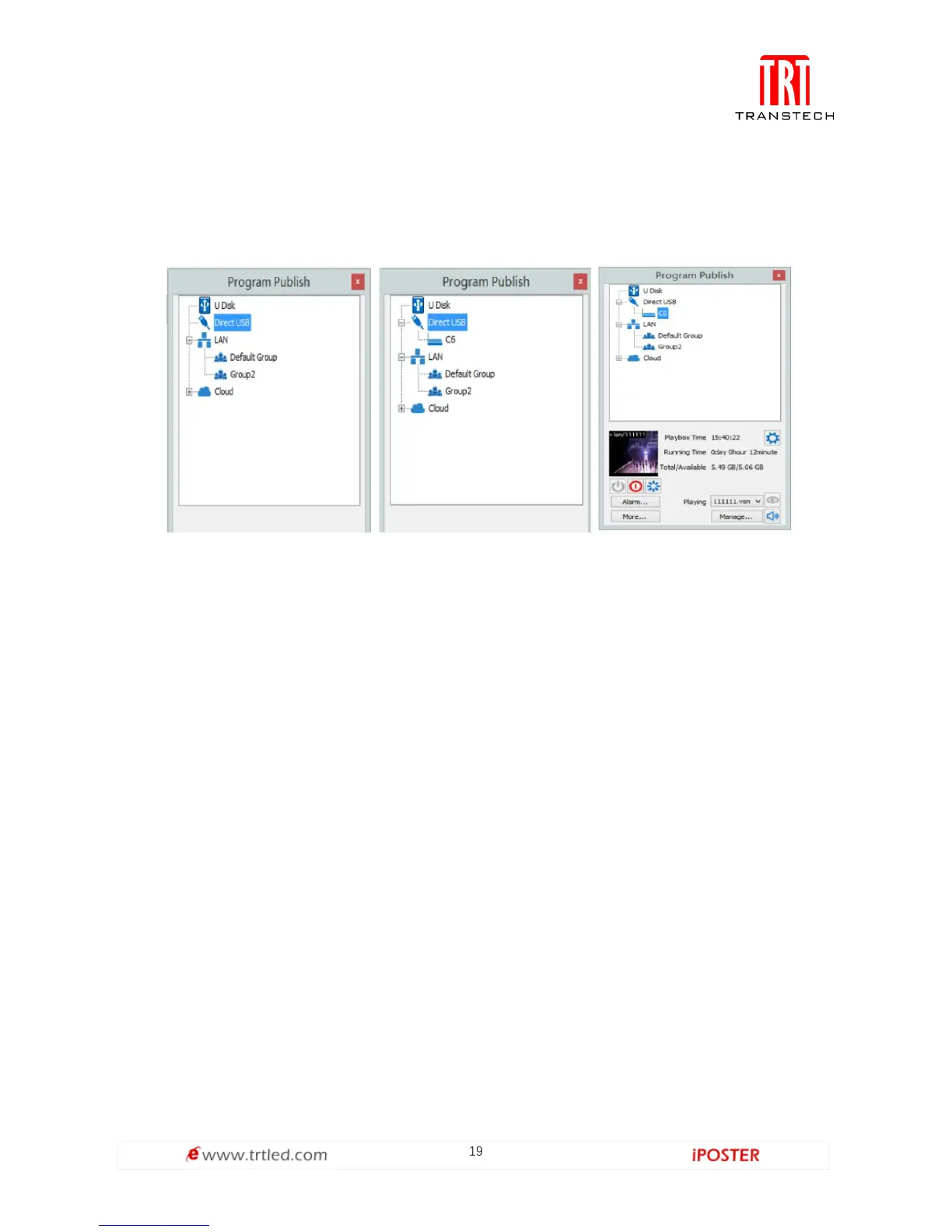
3. Left-click [ Direct USB ] and then right-click choose [ Refresh ], your C6 will show up
in program publishing window, select your device to set parameters and choose what
content to play.
Basic settings
● Ensure LED display is under normal configuration before setting on C6 parameters.
● When setting up C6 parameters, you can connect your C6 to your PC through a
standard USB A/B cable, and connect your C6 to your LED screen through network
cable.
1. Play Box Date and Time: Click [ Modify ] to set up date and time, or time zone as
well.
2. Alarm Settings: Set wake up and sleeping time, which works once checked.
3. Play box Time: Display the setting time.
Running Time: Calculated once C6 sender powered on.
Capacity/Remain: View memory utilization.
4. Power on, Sleep, Restart: To perform C6 sender box operation like power on, sleep
and restart once clicked.
5. Playing: Use the drop down menu to play programs.
Program Management: Check, delete and choose program, and much more.


 To Next Page
 Loading...
