20
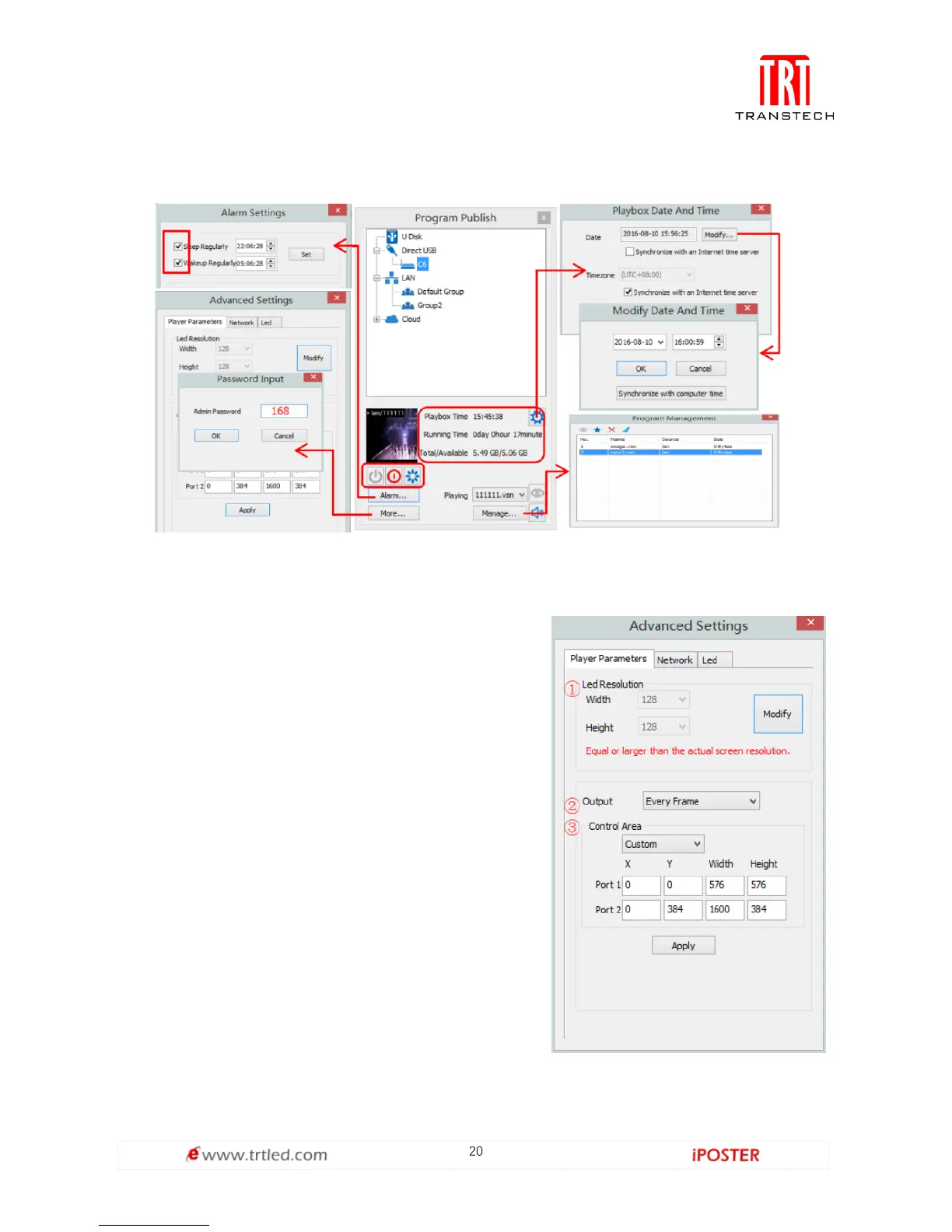
The surface development of your C6’s parameter setting interface is shown below:
Advanced settings
1. Playing parameters
The [ width ]/ [ Height ] you input must be equal
to or slightly larger than he actual screen
resolution.
② Output
Every Frame ( Default ).
Every Other Frame ( Choosing [ every other
frame ] can help avoid lag
when image loading area is too large ).
③ Control Area
Select [ Custom ] in control area, and modify the
values according to your network interface
control area, click [ Apply ] to complete setting.



 To Next Page