22
③ LAN (Network Cable)
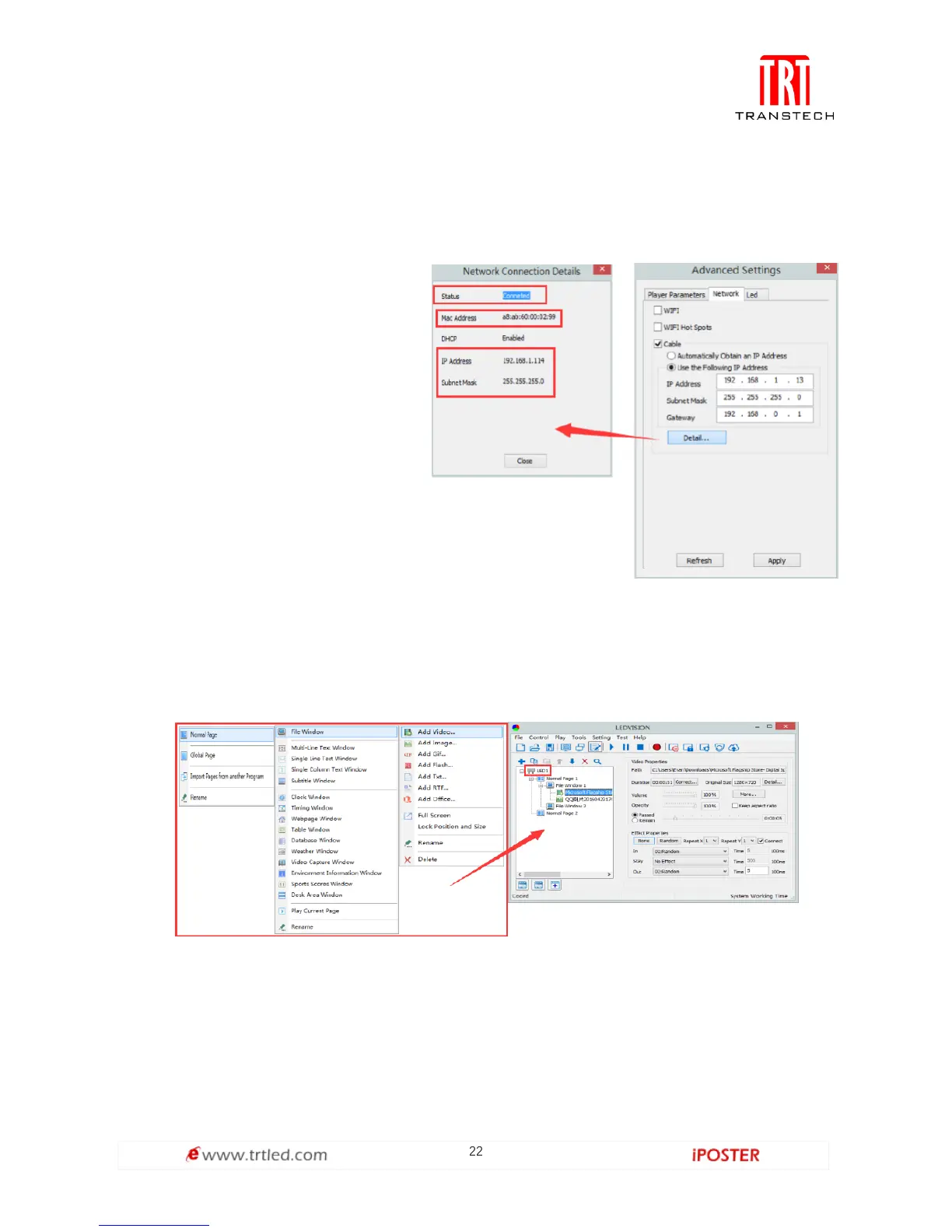
A. Automatically Obtain an IP Address (Default)
When you connect your C6’s LAN port to a networked router, your C6 will
automatically obtain an IP address.
B. Use the Following IP Address
To use a specific IP address, enter
information for [ IP ], [ Subnet
Mask ] and [ Gateway ], then
connect C6 LAN port to the router.
C. Details
View network connection
information like connection
status, Mac Address, IP, and
Subnet Mask.
C6 Async Content Editing and Sync Playing
Async Content Editing
When you open LEDVISION, you will see [ LED1 ] in program editing area. Right-click
[ LED1 ] to add [ normal page ], you can add [ file window ] in [ normal page ], then
add [ image ] and [ video ] under the [ file window ] to add media for asynchronous
play.



 To Next Page