23
Async Content Publishing
1. Publish Contents through Direct USB
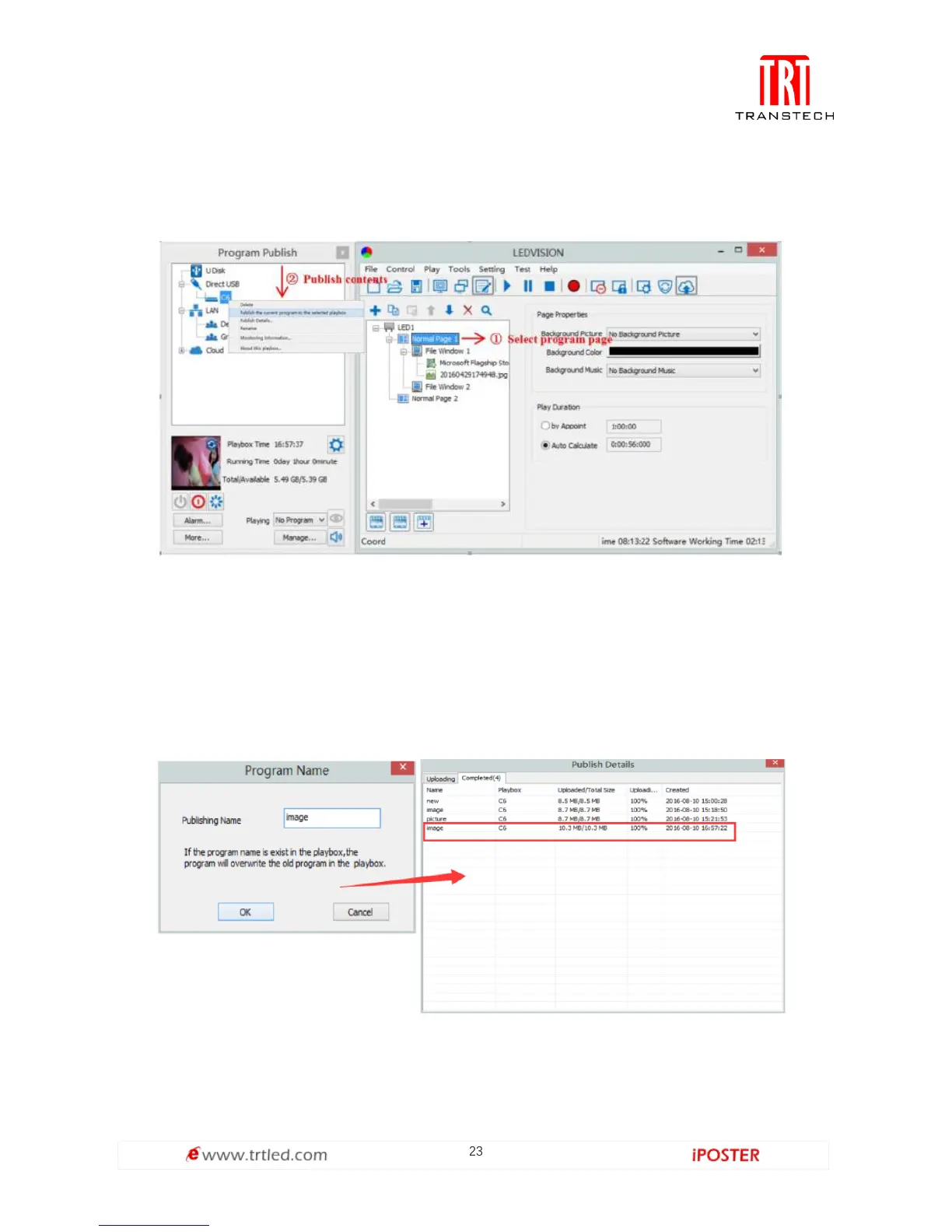
① In [ program editing area ], after finishing content editing, select the [ program
page ] that you are going to publish;
② Click [ C6 ] and then right-click to choose [ Publish Program to current playbox ],
you must rename the content and allow it to finish uploading to fully publish your
program.



 To Next Page