24
2. Content Publishing through USB disk
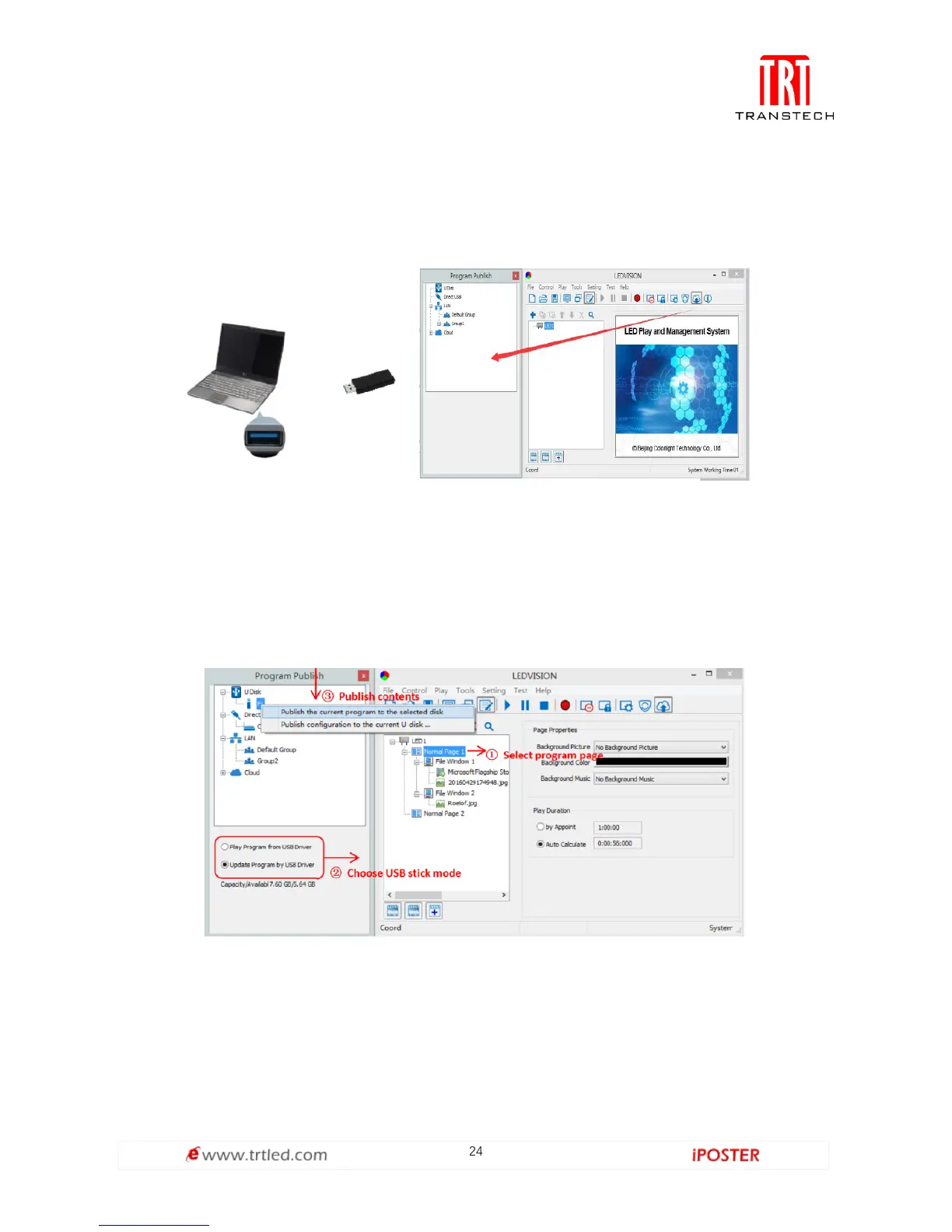
To begin publishing through USB, first insert your USB stick to the PC USB port.
Click [ Publish Program to C Series Playboxes ] (as shown in the red box) to extend
program publishing window.
Note: USB stick should be empty before publishing for best performance. Remove
previous update contents before using it to update or play new contents, so as to
avoid any problems.
Auto identify USB stick when set up USB stick parameters, click [ U Disk ] to
choose [ Your USB’s Drive].
①Select [ program page ] in program editing area.
②Choose USB Stick Mode:
● Play program from USB stick ( Auto play USB stick contents after inserting to C6;
and the content be stored in C6).
● Upload program from USB stick ( Auto play USB stick content after inserting to C6;
the content will be stored in C6).



 To Next Page