25
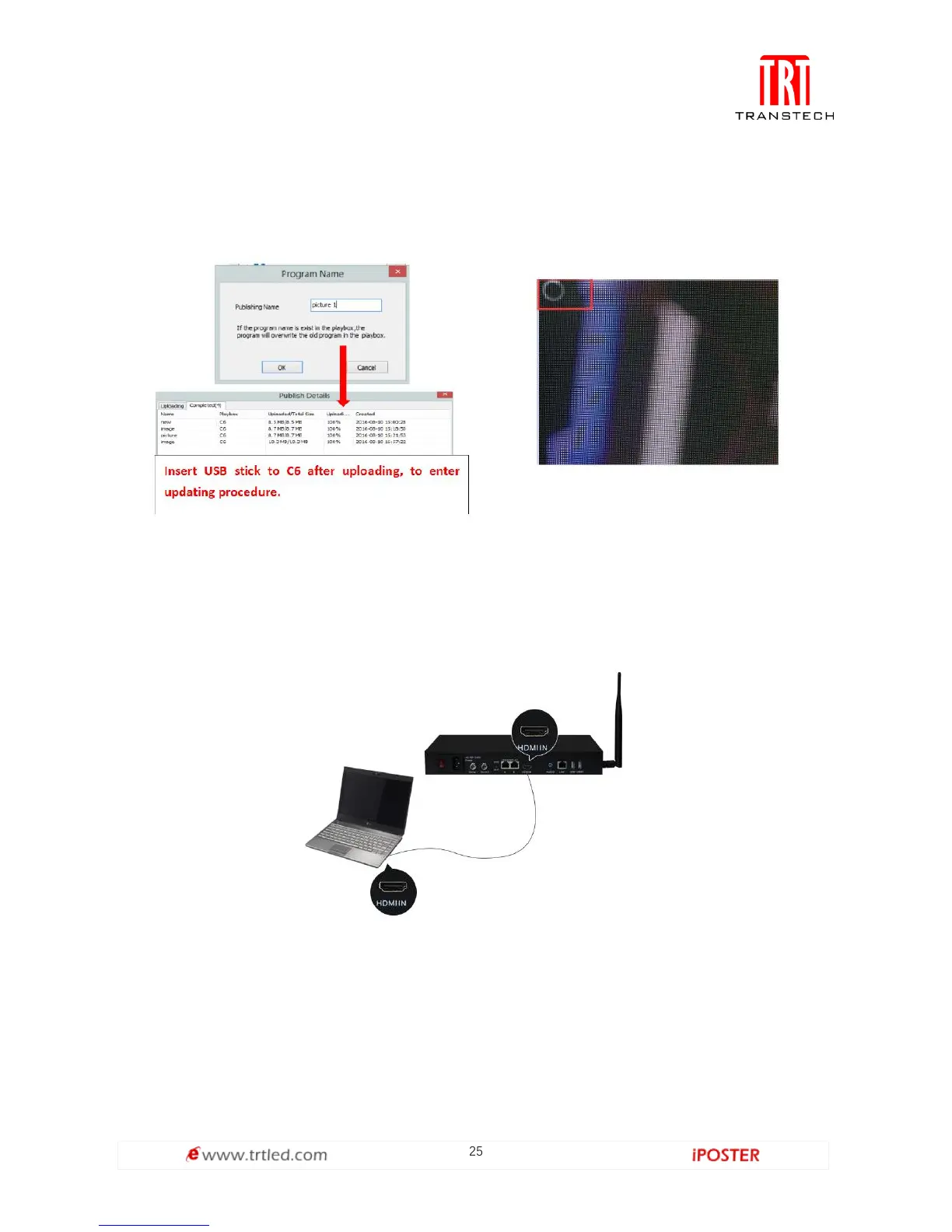
③Select the drive letter under USB stick group, and then right-click to choose
[ Publish the current program to the selected disk ], after publishing program
successfully, insert USB stick into C6 USB port.
Note: A rotating circle in LED upper left corner will appear during the upload
procedure. You may unplug the USB drive after the circle disappears.
Sync Playing
In sync play, your C6 plays contents sent to its HDMI port by an external source like
your PC.
Note: C6 will automatically switch to play sync signal content when an external HDMI
signal input is detected. You can press [ INPUT SWITCH ] button to return async signal
content playing.



 To Next Page