30
2. New/Edit/Delete Terminal
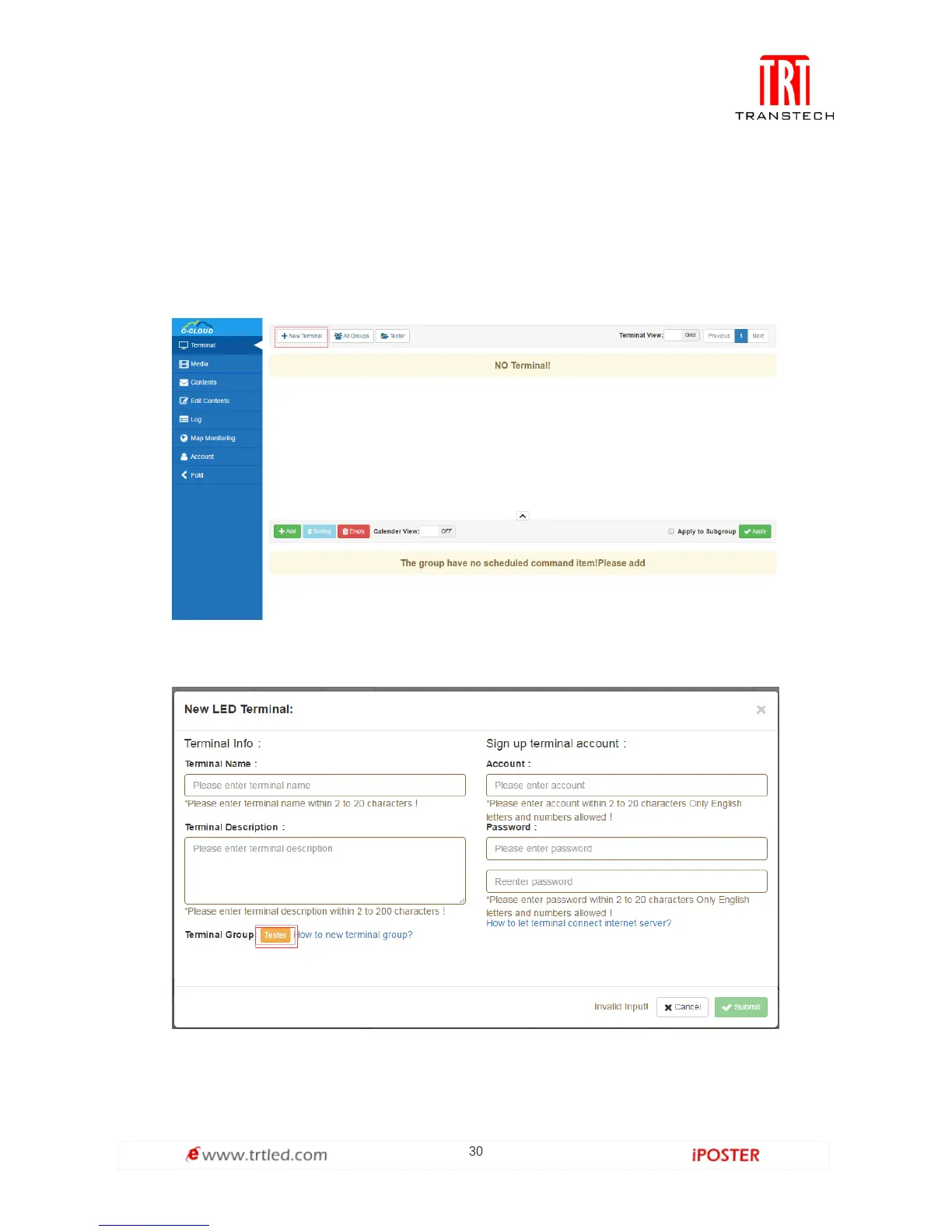
As shown in Figure 1.3.2-1, you can add a new terminal. Click New as shown in Figure
1.3.2-2, fill in the information and click Submit to complete (Note: Please write down
the terminal account, as it’s the LED player account in the server, which should later
be used to setup the LED player).
Figure 1.3.2-1
Figure 1.3.2-2



 To Next Page