31
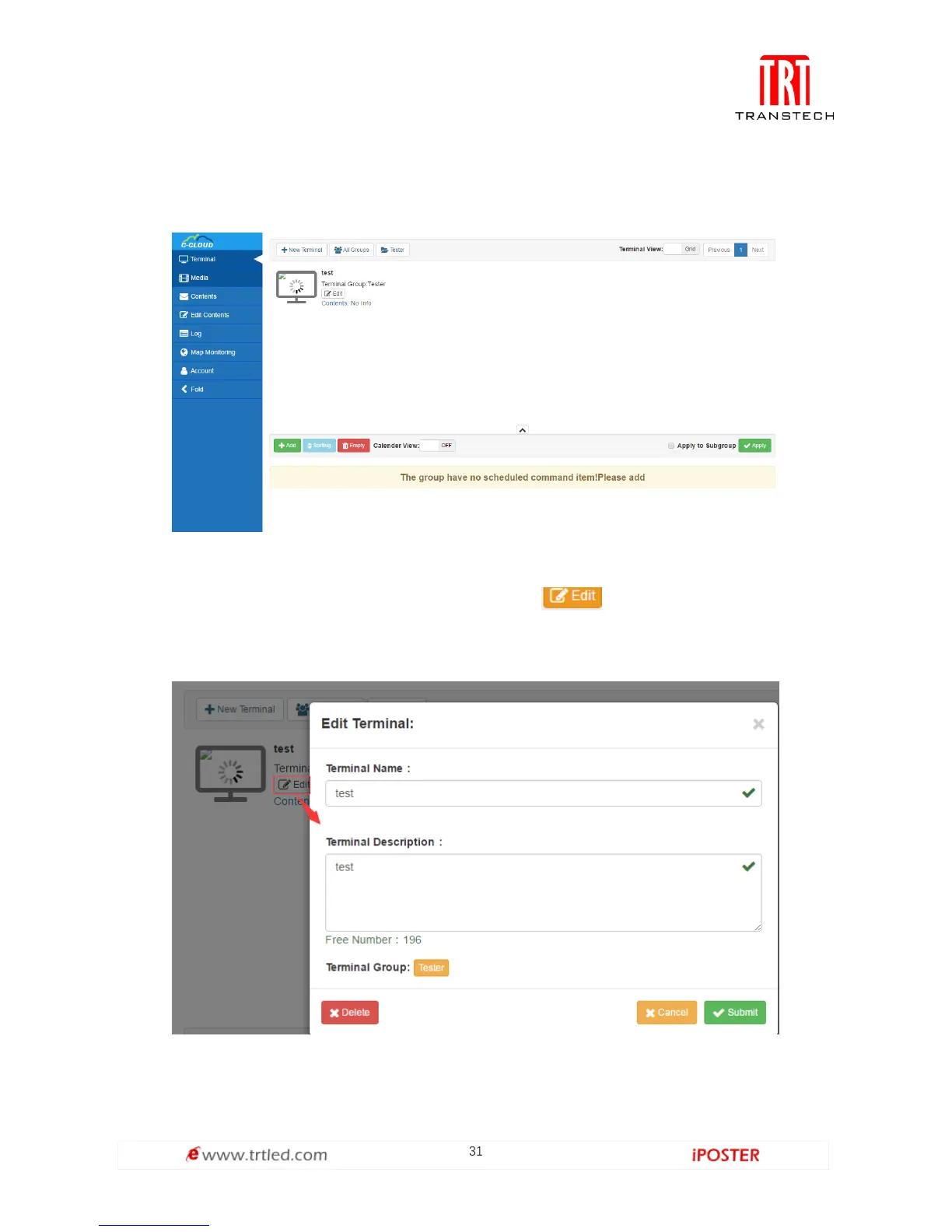
After filling in the information and submitting, we can see the existing terminal under
corresponding terminal group. The new terminal is gray, which means it’s not online
at the moment as shown in Figure 1.3.2-3.
Figure 1.3.2-3
The operation of deleting terminal is in Edit, click and you can not only edit
the information of terminal, but select Delete in the bottom-left corner to delete the
terminal, as shown in Figure 1.3.2-4.
Figure 1.3.2-4



 To Next Page