33
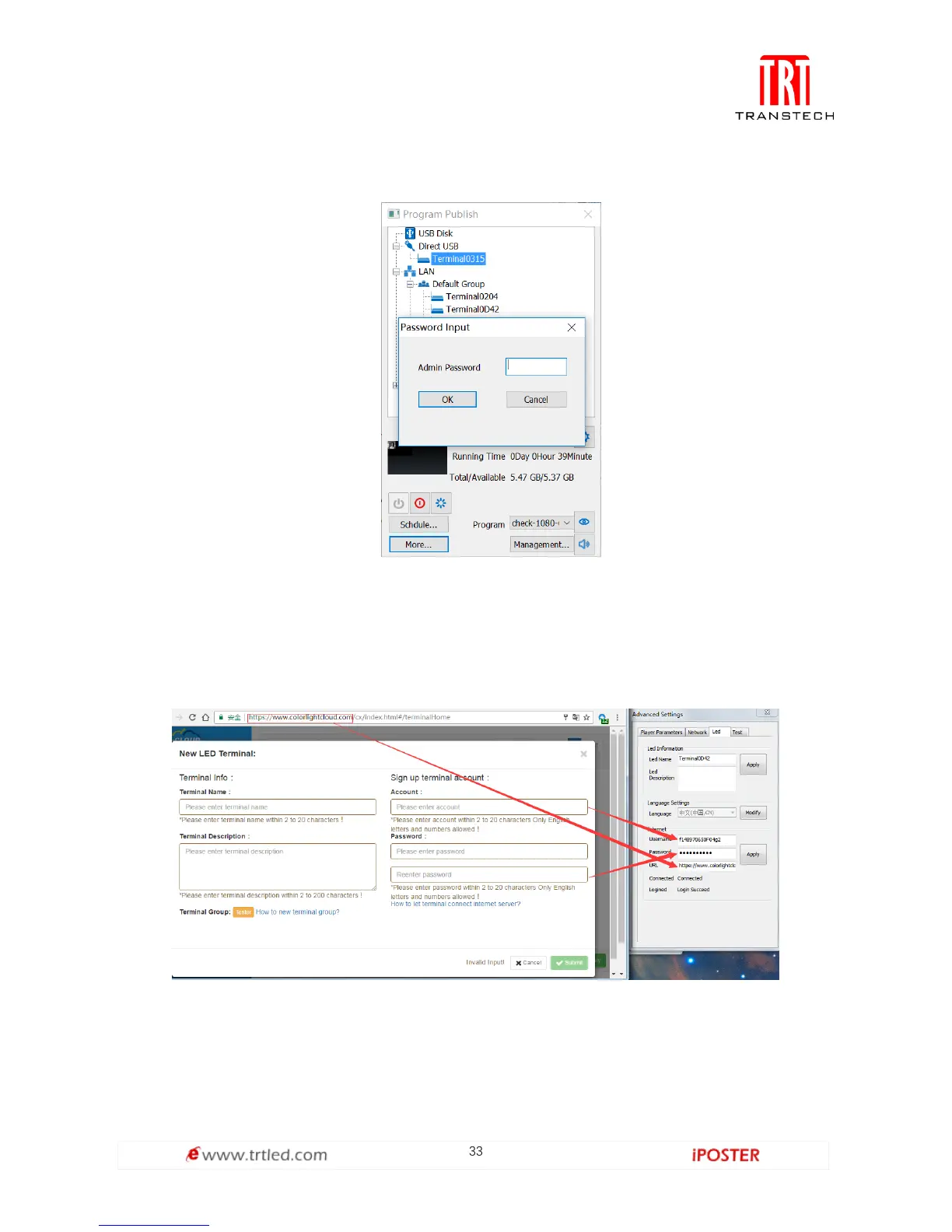
G. Enter Password: 168,
H. Select the "Led" tab in the "Advanced Settings" window,
I. Connection status could be found in the Internet section as shown in Figure 1.3.3-1.
Please check the figure below for the Username, Password and URL. After filling in
corresponding information, click Apply. The "Login Succeed" message shows that
it’s online in the server.
Figure 1.3.3-1



 To Next Page