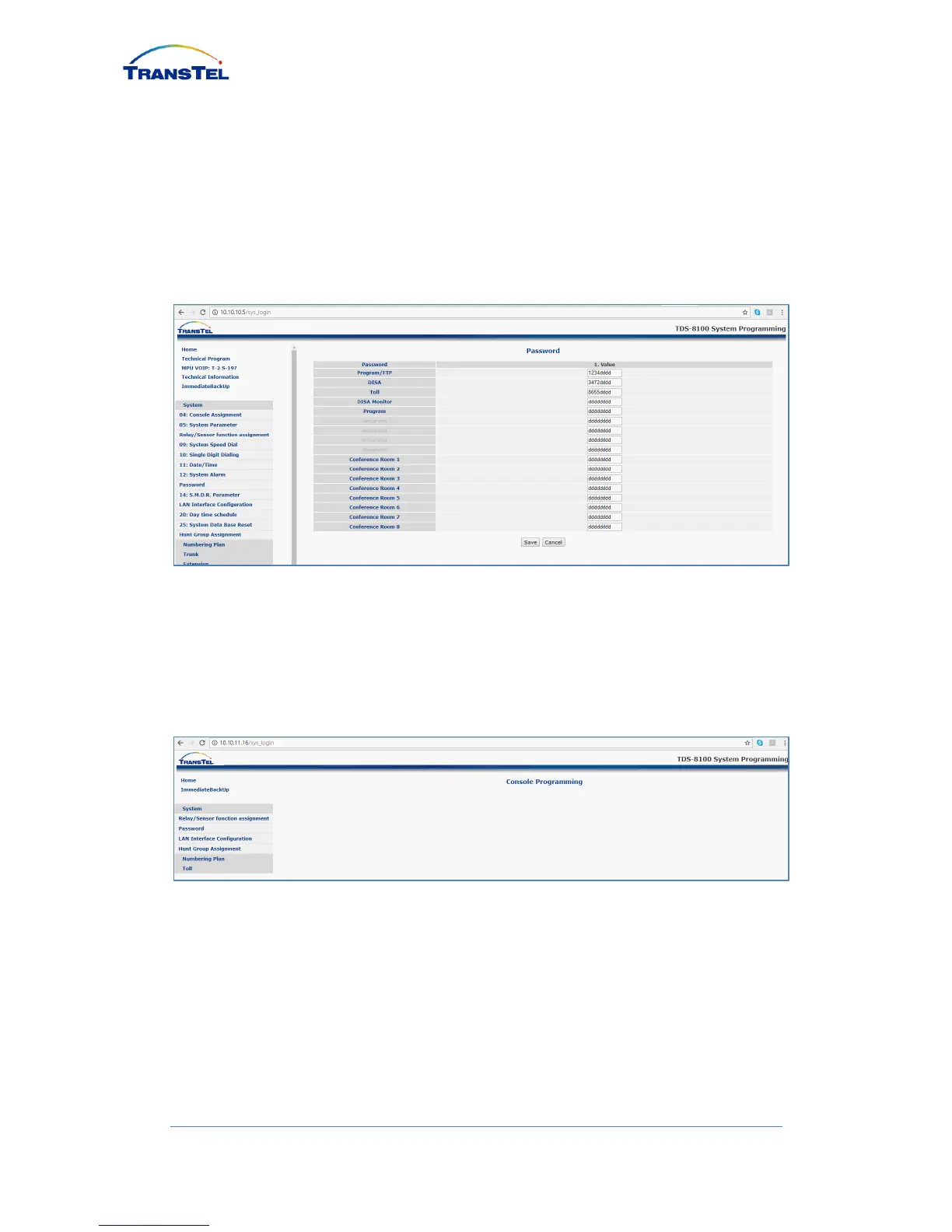
2.4 Set system password
Click SYSTEM tab, then click PASSWORD (Mode: 13), see 1st row
PROGRAM/FTP to set system password, then SAVE (Example password: 1234)
If password lost, user can press hardware DEFAULT switch located on the
back of IP8100C body to reset system.
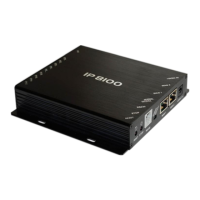
2.5 Into console programming
After enter the set up page by “no password”, click HOME, then SYSTEM
PROGRAMMING, then click OK without enter password to enter Console
Programming page to see simplified menu to set IP extension and IP Trunk
2.6 Default setting of IP Trunk
Default setting of IP Trunk Account as below:


 To Next Page