G.14 Station Programming – Saved Number Redial
Saved Number Redial allows the last dialed CO number to be stored and easily
accessed when required. The number is stored in the system memory and remains
until the User replaces it with another number.
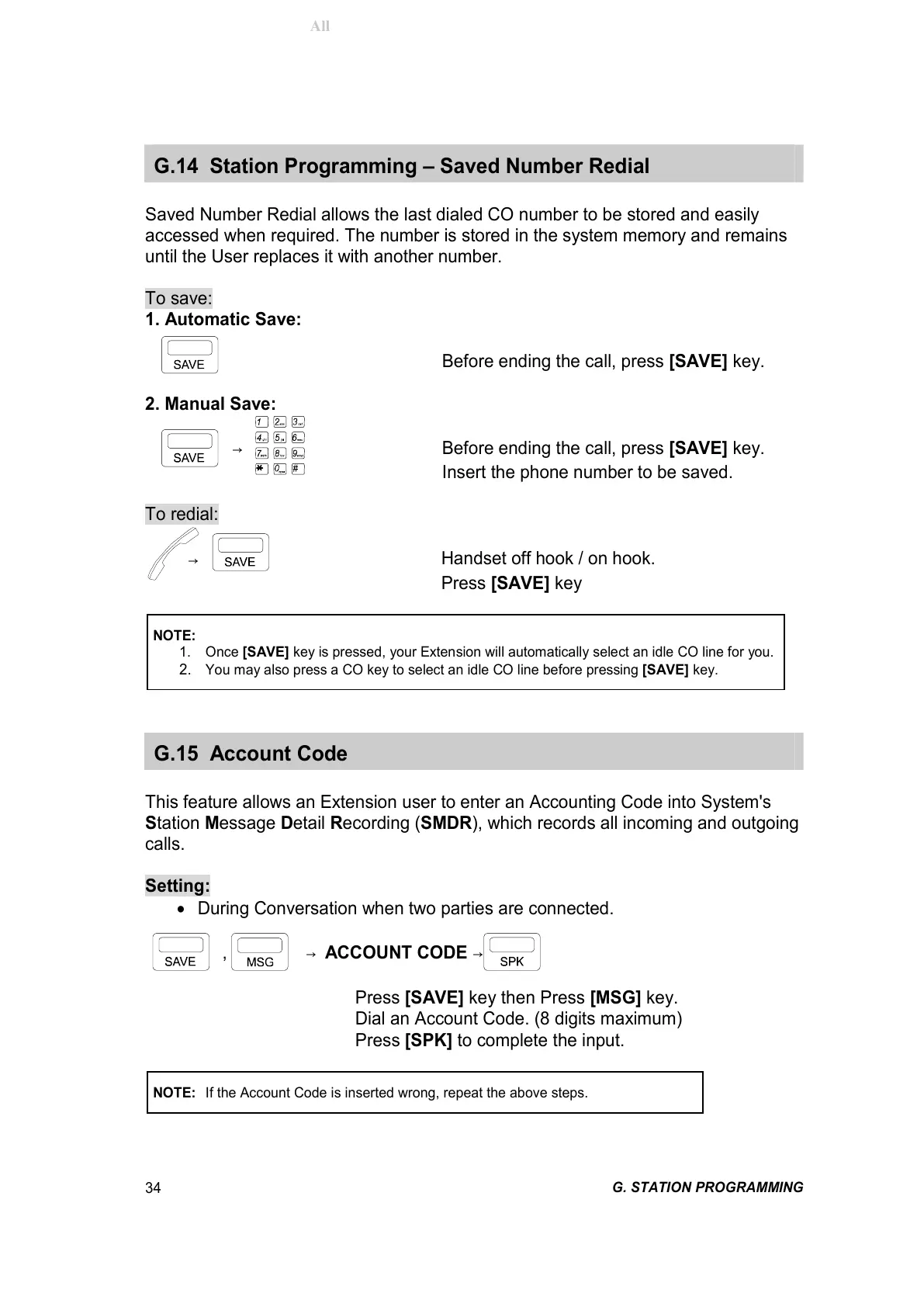
To save:
1. Automatic Save:
Before ending the call, press [SAVE] key.
2. Manual Save:
→
Before ending the call, press [SAVE] key.
Insert the phone number to be saved.
To redial:
→
Handset off hook / on hook.
Press [SAVE] key
NOTE:
1. Once [SAVE] key is pressed, your Extension will automatically select an idle CO line for you.
2. You may also press a CO key to select an idle CO line before pressing [SAVE] key.
G.15 Account Code
This feature allows an Extension user to enter an Accounting Code into System's
Station Message Detail Recording (SMDR), which records all incoming and outgoing
calls.
Setting:
• During Conversation when two parties are connected.
,
→
ACCOUNT CODE
→
Press [SAVE] key then Press [MSG] key.
Dial an Account Code. (8 digits maximum)
Press [SPK] to complete the input.
NOTE: If the Account Code is inserted wrong, repeat the above steps.



 To Next Page