Need help?
Do you have a question about the Traveler IS 12 and is the answer not in the manual?
Lists items to unpack with the camera.
Details trademarks and product specifics, including potential changes.
Lists critical warnings for safe camera operation and handling.
Lists important cautions for safe camera usage and handling.
Provides essential notes and guidelines for using the camera's battery.
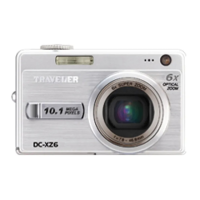
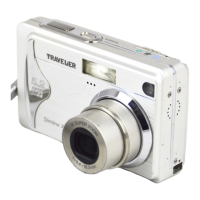
Identifies and labels the external components of the camera's front.
Identifies and labels the external components of the camera's rear.
Explains icons and information on the LCD screen during capture.
Explains Video mode and Playback modes (still/video).
Guides through attaching the strap and inserting the battery/card.
Provides instructions on how to charge the camera's battery using the supplied charger.
Covers setting language, date, and time for first-time use.
Covers choosing language and formatting storage media.
Explains the basic process of composing and taking a photo with the camera.
Describes how to select scene modes for optimal shooting conditions.
Explains Panorama, Smile Detection, Album Shot, and Face Detection modes.
Guides on recording video clips and playing them back.
Instructions on how to view captured still images.
Covers playback display, searching, and red-eye removal.
How to attach and play voice memos to still images.
How to protect images from deletion and cancel protection.
How to set up Digital Print Order Format for printing.
How to delete single or all images from the camera.
Basic settings for capturing still images (size, ISO, quality, etc.).
Basic settings for recording video clips.
Settings for playback operations like slide show and voice memos.
Configures camera environment like date/time, language, and display.
Lists requirements and guides for transferring files from camera to computer.
Explains how to use the camera as a webcam and install the driver.
Describes the photo editing and panorama software included on the CD-ROM.
Details sensor specs and available image resolutions.
Covers LCD monitor, recording media, and file formats.
Provides details on lens, aperture, focus range, and shutter speed.
Covers zoom, flash range, terminals, power, dimensions, and weight.
Tables show approximate shot counts and video times based on memory and settings.
Lists common problems, their causes, and solutions for camera issues.
Guides on connecting the camera to a printer for direct printing.
Details the steps for printing images and handling errors during printing.
Provides information on the correct disposal of electrical and electronic equipment.
Contains fields for warranty registration and contact information for repairs.
 General
| LCD screen size | 2.7 inch |
|---|---|
| Sensor Type | CCD |
| Storage media | SD/SDHC |
| Battery | Li-ion rechargeable |
| Effective Pixels | 12.1 megapixels |
| ISO Sensitivity | 80, 100, 200, 400, 800, 1600 |

 To Next Page