For indoor use only when using
AC power adapters.
DO NOT expose the charger
to water or moisture.
CAUTION: SHOCK HAZARD!
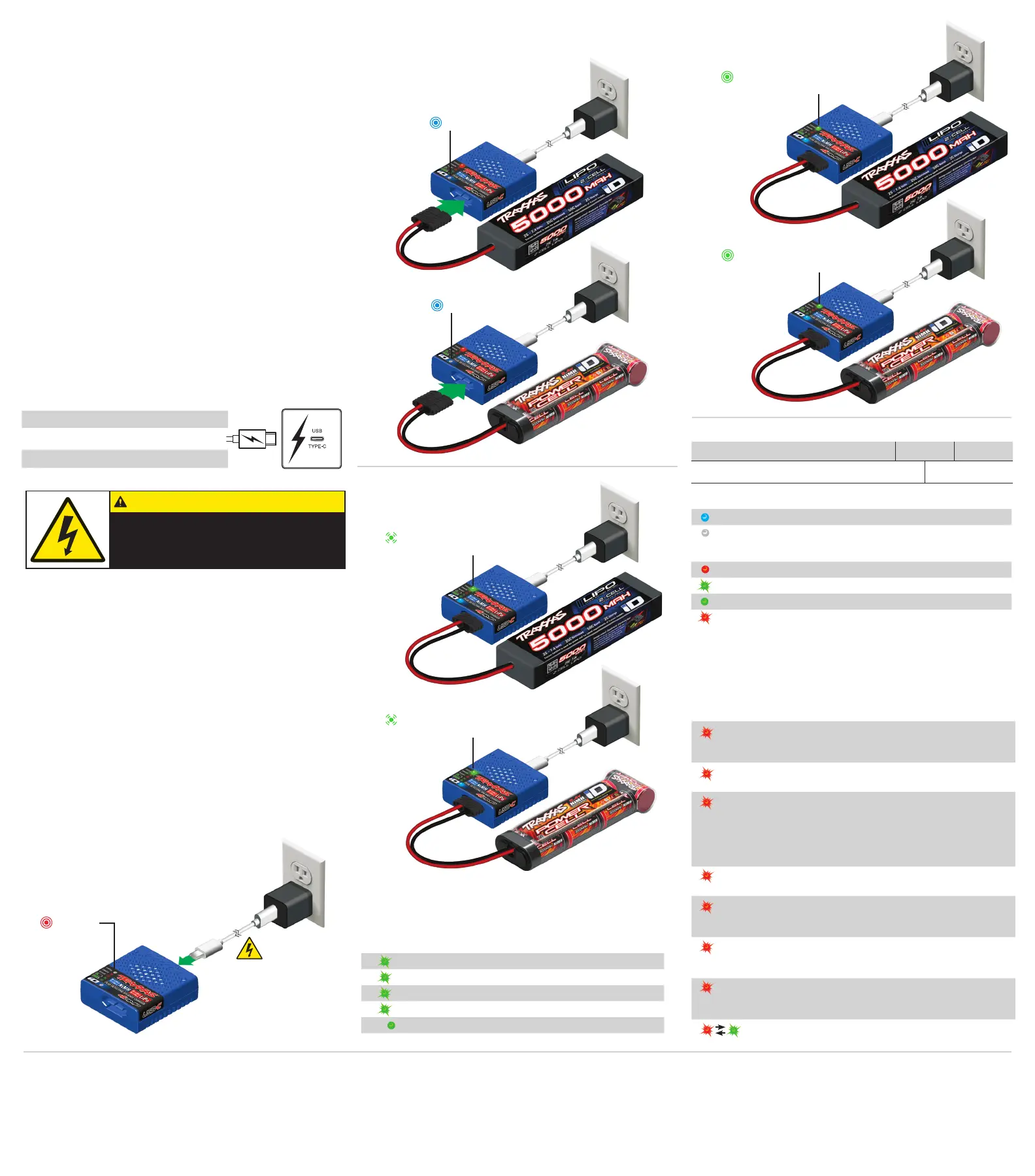
Power on
iD LED
iD LED
LiPo Battery connected
LED flashes green while charging
LiPo Battery connected
LED solid green when charging is complete
NiMH Battery connected
LED flashes green while charging
NiMH Battery connected
LED solid green when charging is complete
CHARGE PROGRESS
x1
1 green flash 0 - 25% charged
x2
2 green flashes 25% - 50% charged
x3
3 green flashes 50% - 75% charged
x4
4 green flashes 75% or more charged
Solid green LED 100% charged
STATUS LED INDICATION MEANING
Solid Red LED Ready for charging
Slowly Flashing Green LED Charging (see Charge Progress chart)
Solid Green LED Battery fully charged
Flashing Red LED Charger error
Operation
1. Plug the USB-C cable into a USB-C power
source. The red STATUS LED will turn on,
indicating that power is connected.
2. Connect a Traxxas iD NiMH or LiPo battery to the charger
to begin charging. The blue iD LED will turn on, indicating
that Traxxas iD has been detected.
3. The STATUS LED will ash green during
charging. The number of ashes indicates
charge progress.
4. When the STATUS LED is solid
green, charging is complete.
Sample USB-C
AC adapter shown.
Clearing errors
If there is a problem with the battery or the power adapter,
the charger’s STATUS LED will flash red. See error codes and
recommended solutions below. If the error code repeats or will
not clear, contact Traxxas Customer Support.
Limited Warranty Information
Traxxas electronic components are warranted to be free from defects in materials and workmanship for a period
of 30 days from the date of purchase.
Limitations: Any and all warranty coverage does not cover replacement of parts and components damaged
by abuse, neglect, improper or unreasonable use, crash damage, water or excessive moisture, chemical
damage, improper or infrequent maintenance, accident, unauthorized alteration or modification or items
that are considered consumable. Traxxas will not pay for the cost of shipping or transportation of a defective
component to us. This warranty is limited to the charger only and does not cover batteries, vehicles and
other accessories used in conjunction with the charger.
Traxxas Lifetime Electronics Limited Warranty
After the expiration date of the warranty period, Traxxas will repair electronic components for a flat rate. Please
visit Traxxas.com/support for a current schedule of warranty costs and fees. The covered repairs are limited to
non-mechanical components that have NOT been subjected to abuse, misuse, or neglect. Products damaged by
intentional abuse, misuse, or neglect may be subject to additional charges.
LED INDICATION MEANING SOLUTION
Power source error Disconnect battery and USB-C power
source. Check power source for
compatibility.
Battery voltage is too
high or too low
Disconnect and discontinue use of
battery.
The charger timer has
expired
Disconnect battery. If battery is hot,
discontinue charger use. If battery
is not hot, reconnect to continue
charging (this may happen when
connected to a low output power
source).
The internal charger
temperature is too high
Disconnect charger and allow charger
to cool.
The detected battery
does not match the
charger conguration
Disconnect battery; battery is not
compatible with the charger.
Battery connected to
charger before USB-C
power supplied.
Disconnect battery; wait for solid red
LED on charger before reconnecting
battery.
Legacy or non-Traxxas
iD battery detected or
Traxxas iD error
Disconnect battery; battery is not
compatible with the charger.
Charger has detected
an internal error
Disconnect battery and power adapter.
Discontinue charger use.
x1
x2
x3
x4
x5
x6
x7
iD LED INDICATION MEANING
Solid Blue LED iD detected; the battery will begin charging
LED Off iD not detected; the battery will NOT charge
About the Traxxas iD
®
USB-C NiMH/
LiPo Charger
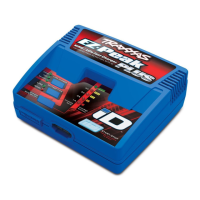
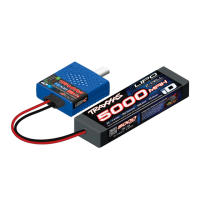
The Traxxas #2985 USB-C NiMH/LiPo Battery Charger features
exclusive Traxxas innovations that make charging batteries
easier and safer than ever. It features fast charging and
advanced peak detection to optimize every charge. A USB-C
power source, such as a portable power bank (battery source)
or AC power adapter, and power cable (sold separately) are
required for use.
TERMS OF USE - The buyer assumes all risk associated with
using this product. Traxxas, its aliates, manufacturers,
distributors, and retail partners cannot control the use,
application, charging or installation of this product and shall
not be held responsible for any accident, injury to persons,
or damage to property resulting from the use of this product.
Read and follow all provided instructions, information, and
warnings. After reading all provided information, if you do not
agree with these terms and conditions and are not prepared to
accept complete liability for the use of this product, return this
product immediately in new/unused condition to your place of
purchase. Your hobby dealer absolutely cannot accept product
for return or exchange if it has been used in any way.
If you have any questions, call Traxxas Customer Support at
1-888-TRAXXAS (1-888-872-9927), outside the US at +1-972-
549-3000, or e-mail support@traxxas.com.
Part No. Description
2912* Power adapter, AC, USB-C (45W)
2916* Power cable, USB-C, 100W (high output)
Recommended Power Adapter and Cable
Charging Tips
• The charger MUST be connected to USB-C power BEFORE
connecting the battery. If the battery is connected before
connecting to USB-C power, the charger will show an error (red
LED flashes 6 times and repeats). To correct, unplug the battery
and the charger. Plug in the charger to USB-C power, and then
connect the battery to be charged.
• The charger requires 10W or greater output from the USB-C
power source to operate.
• The charge output current varies depending on the available
power from the USB-C power source. To ensure the maximum
charge rate, use a USB-C power source rated at 45 watts (capable
of 2.25 amps at 20 volts) and compatible with Quick Charge 3.0
(QC 3.0) or greater standard input voltage. Traxxas USB-C AC Power
Adapter (part #2912) and Power Cable (part #2916) are designed
to deliver the full charge output from the charger.
Note: It is normal for the charger to become warm while
charging at the maximum charge rate. If the charger is not in a
cool, well-ventilated area, the charge rate will be automatically
reduced to prevent the charger from overheating.
*Sold separately
Battery Compatibly
NiMH Traxxas iD Batteries 5-Cell 6-Cell 7-Cell
LiPo Traxxas iD Batteries 2-Cell 3-Cell


 To Previous Page
 Loading...