TREASUREHUNTER3D
Makes underground treasures visible
Instruction manual 9
Smartphone application
GoldHunter uses iOS application to display detector
information as well as 3D object scans�
In order to use all GoldHunter features, iPhone 6s or later
model must be used�
1. Install GoldHunter application
Applications can be downloaded from
http://www�treasurehunter3d�com/downloads
or installed from AppStore�
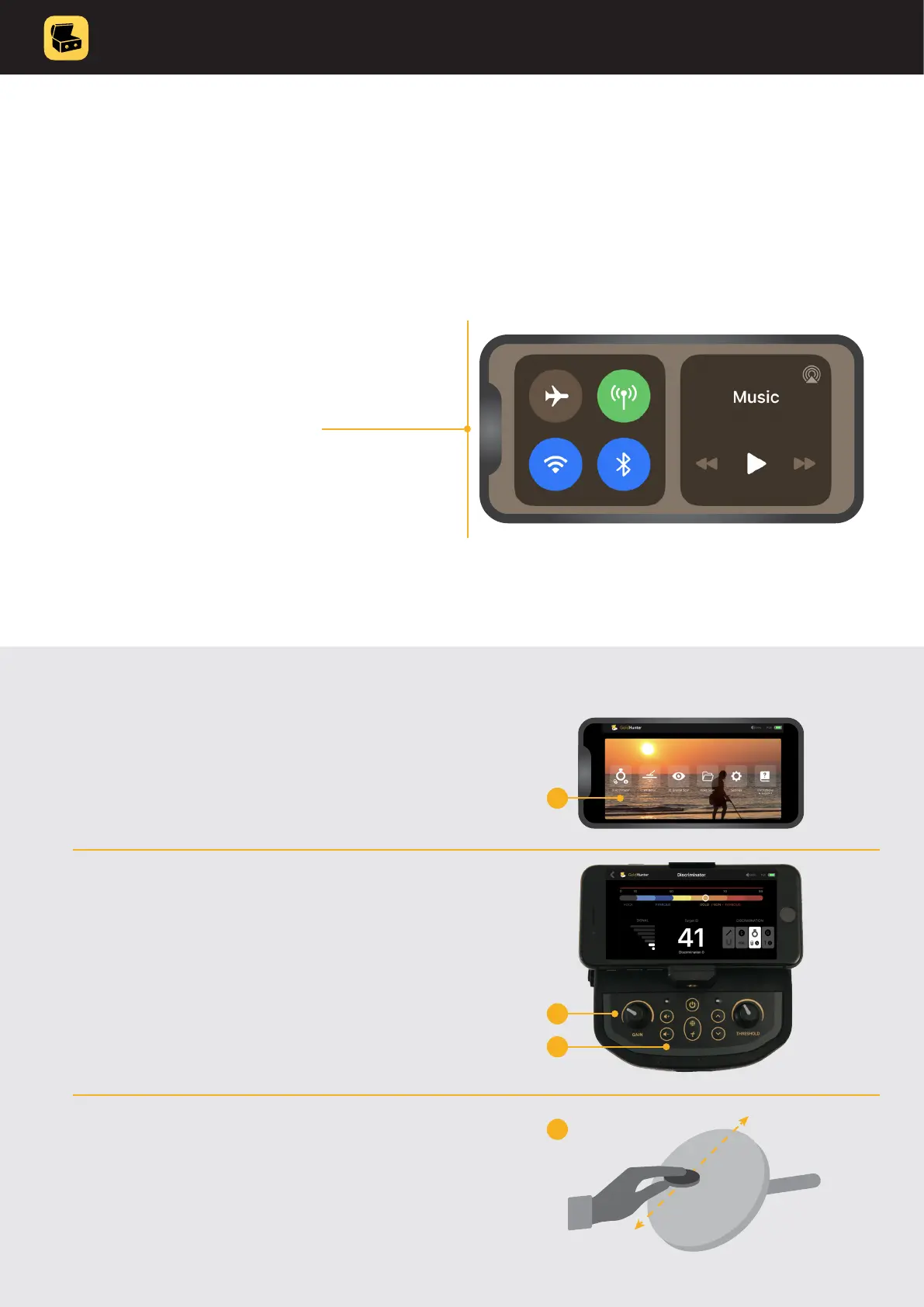
2. Make sure bluetooth is turned on�
3. Turn metal detector ON & run the application�
LED indicator will turn blue indicating smartphone is
connected with metal detector device�
4. Congratulations, metal detector is now ready
to be used!
Quick start guide
BLUE
smartphone
connected
1. From the main menu select Discriminator
mode�
2. Turn Sensitivity knob to middle position
(12:00)�
3. Set volume to 50%�
4. Use test sample that was included, move
it above the coil, gold icon indicator should
lit and you should hear sound from the
speaker�
1
2
3
4



 To Next Page