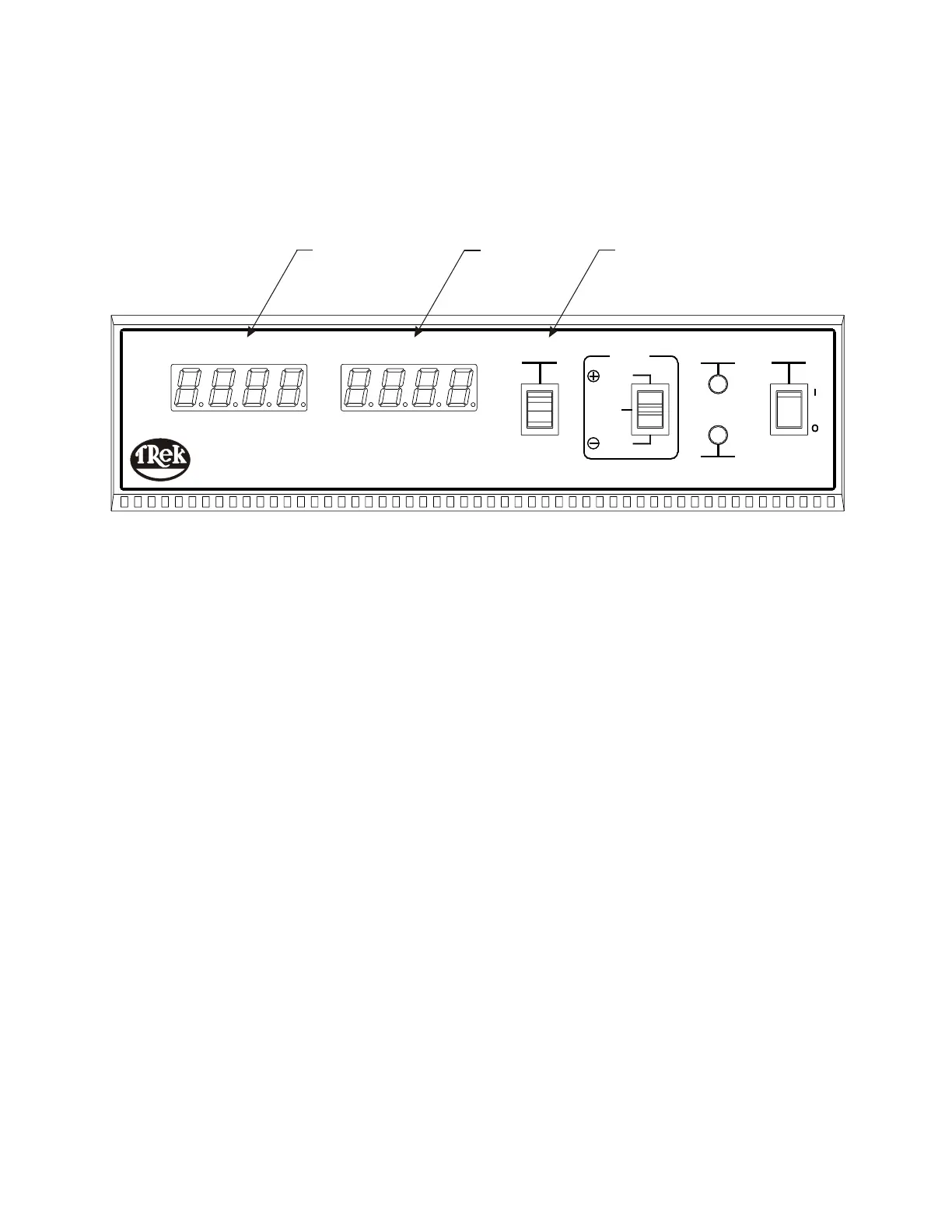
Front Panel Features (cont.)
Figure 3-2: Front Panel Features (cont.)
5.
6. DECAY TIME Display: This digital display indicates the time in seconds for the
ion collecting plate to discharge from the programmed START voltage to the
7. TEST/RESET Switch: This switch sets the plate voltage to greater than the
programmed START voltage when the instrument is in the (+) DECAY or
(-) DECAY mode. This switch sets the plate voltage to 0 volts when the
instrument is in the FLOAT mode.
This switch is also used in combination with the MODE switch to program the
START and STOP voltages.
III - 2
Operation
CHARGED PLATE MONITOR SYSTEM
VOLTSVOLTS
MODEL 156A
PLATE VOLTAGEPLATE VOLTAGE
SECONDSSECONDS
DECAY TIMEDECAY TIME
DECAY
FLOAT
RESET
TEST /
MODE
DECAY
FULL
CHARGE
BATTERY
LOW
POWER
7
6
5
PLATE VOLTAGE Display: This digital display indicates the plate voltage in
volts.
programmed STOP voltage.


 To Next Page