EasyManua.ls Logo

Trek INCITE 11i - User Manual

Trek INCITE 11i
27 pages
Print Icon
To Next Page IconTo Next Page
Loading...
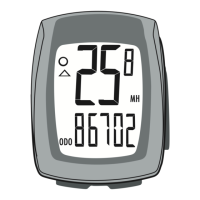
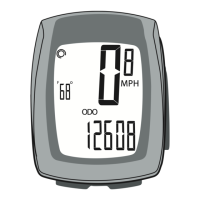
CLK TME AVG MAX TRP AVG
MPH
F


This manual explains the installa-
tion and use of the Trek Incite 9i
and 11i bicycle computer. Please
read this manual carefully and
save it for future reference.
If you do not understand the
information in this manual, or
you have a question about your
Incite 9i computer that this
manual does not cover, consult
your Trek dealer. If you have a
question or problem that your
Trek dealer can’t handle, contact
us at:






© Copyright Trek Bicycle Corporation
2006 All rights reserved

Questions and Answers

  • T
    Travis ReidJul 31, 2025
    What to do if Trek INCITE 11i Bicycle Accessories speed is incorrect?
    • P
      pamelaelliottJul 31, 2025
      If the speed displayed on your Trek Bicycle Accessories is incorrect, it could be due to a couple of reasons. First, the wheel size setting might be wrong, in which case you should reset the computer. Second, the sensor might not be reading the magnet properly, so try readjusting the magnet and sensor alignment.
  • T
    Tina CooperAug 7, 2025
    Why Trek INCITE 11i Bicycle Accessories shows erratic data?
    • E
      Erica CollierAug 7, 2025
      If your Trek Bicycle Accessories is showing erratic data, it might be due to a misaligned magnet or one that is too far away from the sensor; try readjusting the magnet and sensor placement. Alternatively, the battery power could be low, so try replacing the battery.
  • M
    Matthew CabreraAug 15, 2025
    How to fix no current speed on Trek Bicycle Accessories?
    • B
      briangarciaAug 15, 2025
      If your Trek Bicycle Accessories is not displaying the current speed, it is likely that the magnet is misaligned or too far away from the sensor. You should readjust the magnet and sensor placement to resolve this.
  • R
    robertrodriguezAug 21, 2025
    How to fix a blank screen on Trek INCITE 11i?
    • M
      Melissa JimenezAug 22, 2025
      If your Trek Bicycle Accessories screen is blank, there are a couple of potential causes. It might be in shipping mode, so try pushing a button. Alternatively, the battery could be dead or installed incorrectly, so reinstall a good battery.

Summary

Safety and General Guidelines

Riding Safety Precautions

Warnings about watching the road and securing the computer wire to prevent accidents.

Bicycle Computer Functions

Time, Stopwatch, and Odometer

Explains time, stopwatch, odometer, and trip data functions.

Speed, Pacer, and Cadence

Covers speed, pace comparison, and crankset revolutions.

Wheel Selection and Temperature

Indicates wheel setting and displays current temperature.

Installation Procedures

Mounting the Computer

Instructions for mounting the computer on the handlebar or stem.

Magnet and Sensor Attachment

Steps for attaching the wheel magnet, sensors, and routing the wire.

Initial Setup and Configuration

Using Computer Buttons

Explains 'Push', 'Cycle', and 'HOLD' button operations for setup.

Setting Units, Clock, and Odometer

Configures units, time format, and odometer values.

Wheel Size Configuration

Sets specific wheel sizes and allows selection of active wheel.

Ride Data Management

Restarting Trip Data

Resets trip data for a new ride.

Additional Operational Tips

Covers changing modes, removing unit, and wet weather use.

Troubleshooting and Maintenance

Common Problems and Solutions

Solutions for common issues like blank screen, erratic data, or incorrect speed.

Battery Replacement Guide

Step-by-step guide to replace the computer's battery.

Customization and Warranty

Custom Wheel Size Setup

Programming custom wheel sizes or measuring wheel rollout.

Limited Warranty Information

Details what the warranty covers and what it does not.

Trek INCITE 11i Specifications

General IconGeneral
Display TypeLCD
BatteryCR2032
AltimeterYes
MountingHandlebar mount
TypeBike Computer
FunctionsSpeed, Distance, Time, Heart Rate, Cadence
WirelessYes
Heart RateYes
CadenceYes
Battery LifeApproximately 1 year
CompatibilityANT+ compatible sensors

Related product manuals