Why does my TrekStor MP3 Player not play transferred files?
- SSandra BarrettAug 16, 2025
Your TrekStor MP3 player might not support the file format. Check the TrekStor homepage at www.trekstor.de for the datasheet to find the supported file formats.
Why does my TrekStor MP3 Player not play transferred files?
Your TrekStor MP3 player might not support the file format. Check the TrekStor homepage at www.trekstor.de for the datasheet to find the supported file formats.
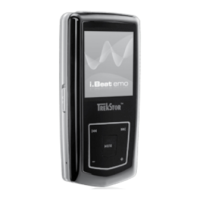
What to do if my TrekStor i.Beat motion 2GB won't turn on?
First, check if the HOLD function is activated and deactivate it as described in the operating instructions. If that's not the issue, and your MP3 player has an integrated battery, charge it using a USB cable connected to your PC or a USB charger. If it's battery-operated, replace the battery, ensuring correct polarity. If the problem persists after turning it off and on, consider resetting the player or updating the firmware.
What to do if my TrekStor i.Beat motion 2GB freezes?
If your TrekStor MP3 Player freezes, especially with a specific audio file, the file may be damaged. Try deleting the file. If the problem continues, reset the player if possible. If it still freezes, update the firmware.
Why doesn't my TrekStor MP3 Player play WMA files I transferred?
The WMA files may be copy-protected. You need to copy WMA DRM copy-protected files through Windows Media® Player. First, verify that your MP3 player supports WMA DRM copy-protected files.
Why do I hear no music from my TrekStor i.Beat motion 2GB earphones/headphones?
First, ensure that an audio file is actually playing by checking if the elapsed or remaining time is changing on the display. If not, start playback. Next, make sure the stereo jack of the earphones/headphones is fully inserted into the jack socket. Finally, check that the volume of your MP3 player is turned up enough.
How to fix TrekStor MP3 Player playing audio files in the wrong sequence?
If your TrekStor MP3 player is playing audio files in the wrong sequence, the "Shuffle" playback mode may be active. Switch to the "Normal" playback mode. Alternatively, sort your audio files in a subfolder before copying them to your MP3 player, or rename them with numbers (e.g., "001_Title", "002_Title").
Why does my TrekStor i.Beat motion 2GB MP3 Player not respond when I press a button?
Check if the key lock (HOLD switch/HOLD function) of your MP3 player is activated and, if so, deactivate it as described in the operating instructions.
Why can't my TrekStor i.Beat motion 2GB play audio files transferred from my Mac®?
Audio files in AAC format (files generated with iTunes®, for example) cannot be played on most MP3 players. Convert these files into MP3 format using a current iTunes® program or a different program.
How to fix odd characters appearing on my TrekStor i.Beat motion 2GB MP3 Player display?
Some MP3 players cannot correctly display all characters. Use only the standard character set of the menu language selected on the MP3 player when writing file names and ID3 tags, and avoid special characters (such as accents).
How to change the menu language on a TrekStor i.Beat motion 2GB?
Reset the player or, if that doesn't work, update the firmware. The language selection menu should then appear.
Overview of the device's physical controls, buttons, and ports.
Step-by-step guide for connecting the device to a computer and charging its battery.
Instructions for exchanging both unprotected and DRM-protected files.
Procedures for logging off, disconnecting, and updating the device's firmware.
Explains turning the device on/off, key lock, and navigating through main modes.
Details on using Music, Video, and FM Radio modes.
Instructions for Pictures, Text, Record modes, and Folder Navigation.
How to adjust audio, display, timer, FM radio, record settings, and system language.
Guide on converting video files for playback on the device.
Solutions for the player not turning on or freezing.
Addresses unresponsive buttons, no audio, and unplayable files.
Solutions for file format issues, Mac transfers, and playback order.
Troubleshooting for display characters and menu language.
Guidance on how to create MP3 files for the device.
| Storage Capacity | 2GB |
|---|---|
| Audio Formats Supported | MP3, WMA, WAV |
| Battery Life | Up to 12 hours |
| FM Radio | Yes |
| Voice Recording | Yes |
| USB | USB 2.0 |
| Display | OLED |