4 IQView4 Installation Instructions TG201038 Issue 8, 14-Jan-2016.
IQView4 Installation Instructions
7
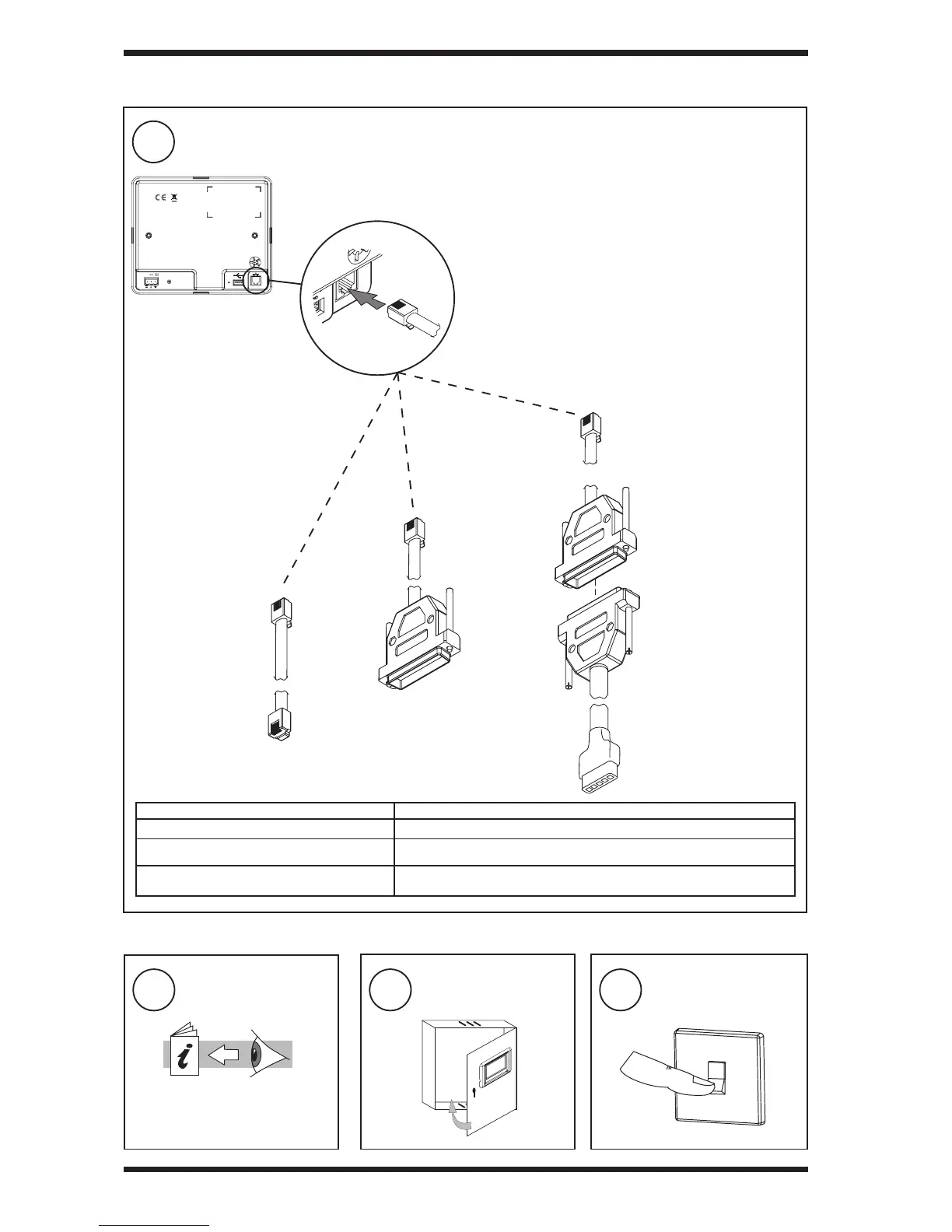
Connect RS232
3.1 Installation- Mounting (continued)
3
Switch On
1
Read Licence
Read and agree to End User
Licence Agreement (see
Section 4)
2
Close Panel
RD/SDU-IQ2COMMS CABLE/3M
EJ105046 (supplied with IQView4)
CABLE / 78 -1172
(additional)
SERVICE
24V
Note: QView4 cannot be connected to a controller with local
supervisor port already used (e.g. wireless sensor reciever
XW/RIQ, NDP, IQView (RS232), or local PC) or to /ADL, ATM
or XNC220 controllers.
Note: The Supervisor Port Address should be set to zero
(default).
Note: For IQ1xx controllers with a separate CNC board, the
Address module Local address parameter, R(L), must be set
up correctly so that the IQView4 can identify the controller.
Note: RD/SDU-IQ2COMMS CABLE/10M, EJ105047, 10
m cable, may be used instead of the RD/SDU-IQ2COMMS
CABLE/3M, EJ105046, 3 m cable, but it is not UL listed, and
is not supplied with the IQView4.
CABLE/EJ105651
(additional)
CABLE/EJ105651
(additional)
Connecting to Cable Required
IQ4, IQ3, IQ2xx, (some IQ1xx with RJ11) RJ11 to RJ11 cable with a twist (CABLE/EJ105046) Supplied.
IQ1xx with 25 Way D type female RJ11 to 25 way D type cable (CABLE/EJ105651).
IQ1xx with 5 way in line plug



 To Next Page