IQView4 Installation Instructions TG201038 Issue 8, 14-Jan-2016. 7
Installation Instructions IQView4
6
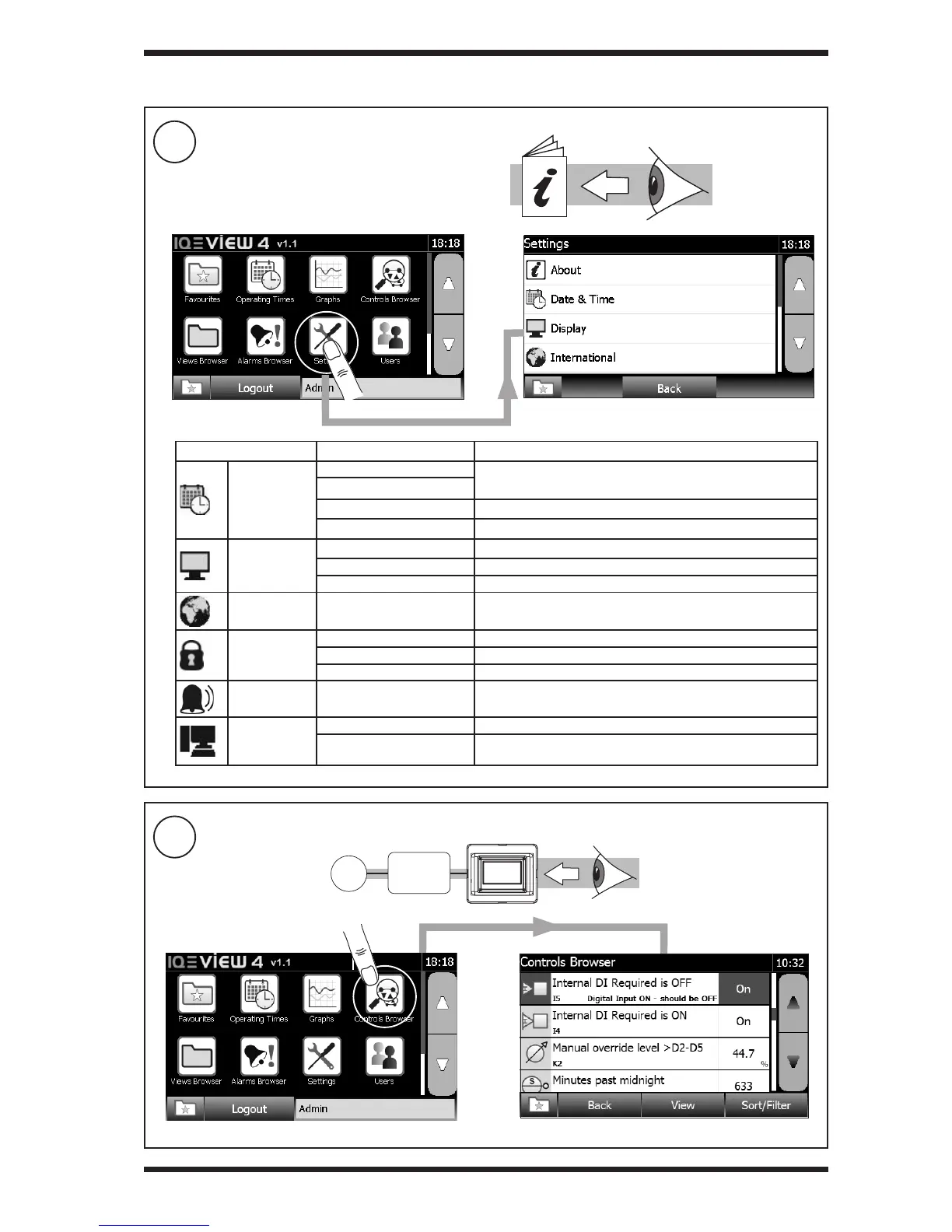
Test System
5
CongureIQView4(if required)
3.2 Installation-Conguration(continued)
Group Settings Comments
Date and Time
Date
Obtained from controller
Time
Daylight Saving Set Daylight Saving start and stop dates
Timemaster Set up IQView4 to be Timemaster
Display
Backlight Delay Time to half dim display (Default: 30s)
Idle time before screen saver operates
Screen Saver Select screen saver le from USB port
International Language Screen Language
Security
Enable/disable password required
Idle timeout Idle time before password times out and screen saver appears
Sounds Key click Select key click ON/OFF (Default: OFF)
System
Restart Perform a soft restart
Restore to Defaults
Restore to factory defaults. This wll also cause a restart as in
step 4
IQView4 Manual
(TG201041)
S
IQ



 To Next Page