TFM-560X User’s Guide
Rev.1.00
- 5 -
Section 2.3 System Setup
Section 2.3.1 Setup instructions for Windows 98 / ME / 2000 / XP
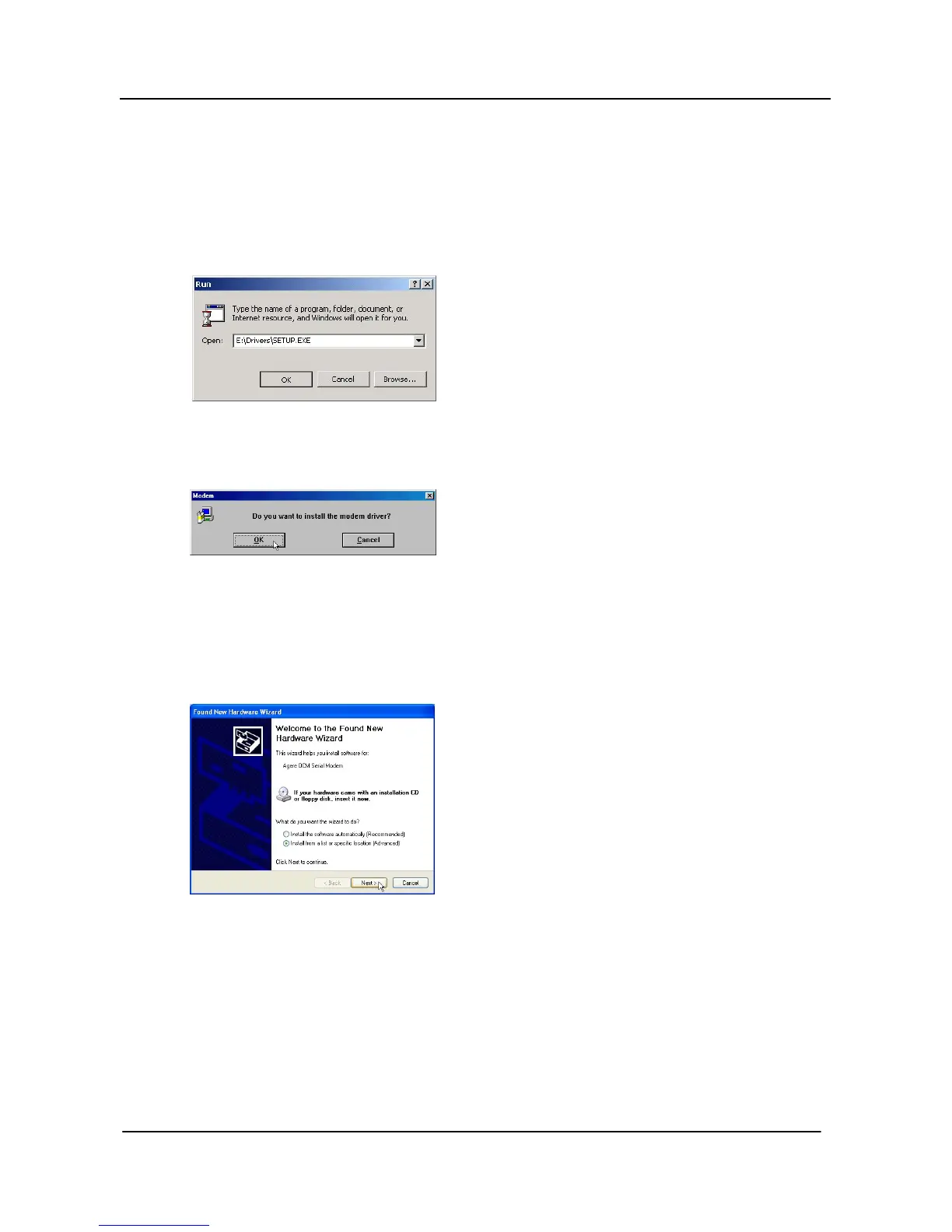
STEP 1. Insert the Modem Driver CD-ROM disk attached with your modem into the CD-ROM drive device,
Then run <CD-ROM letter>:\Drivers\Setup.exe as shown in figure.
Then click on OK
STEP 2. And then, a prompt screen will ask you to ensure to install the modem driver.
Then click OK.
The setup utility will copy the needed files into windows system.
[Windows XP only]
STEP 2-1. Choose “Install the software automatically (Recommended)” and click “NEXT>” button.



 To Next Page