TFM-560X User’s Guide
Rev.1.00
- 7 -
Section 2.3.2 Uninstall Modem from Windows 98/Me/2000/XP
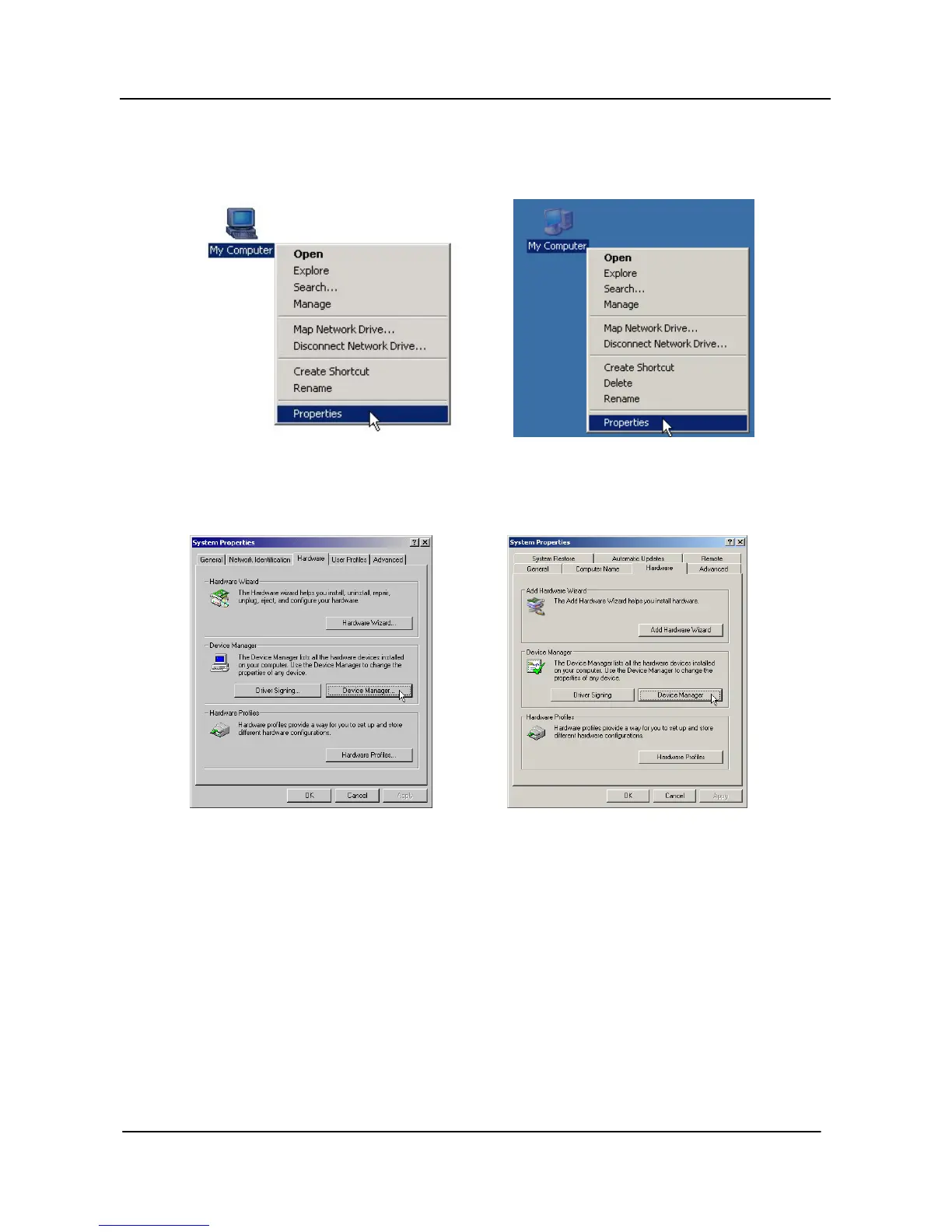
STEP 1. Right click on My Computer icon on Desktop and then choose Properties as shown in figure.
(Windows 98/Me/2000) (Windows XP)
STEP 2. Choose Hardware tab in System Properties window as shown in figure.
(Windows Me/2000) (Windows XP)
Then, click on Device Manager.
* Windows 98 users, please skip this step!



 To Next Page