22
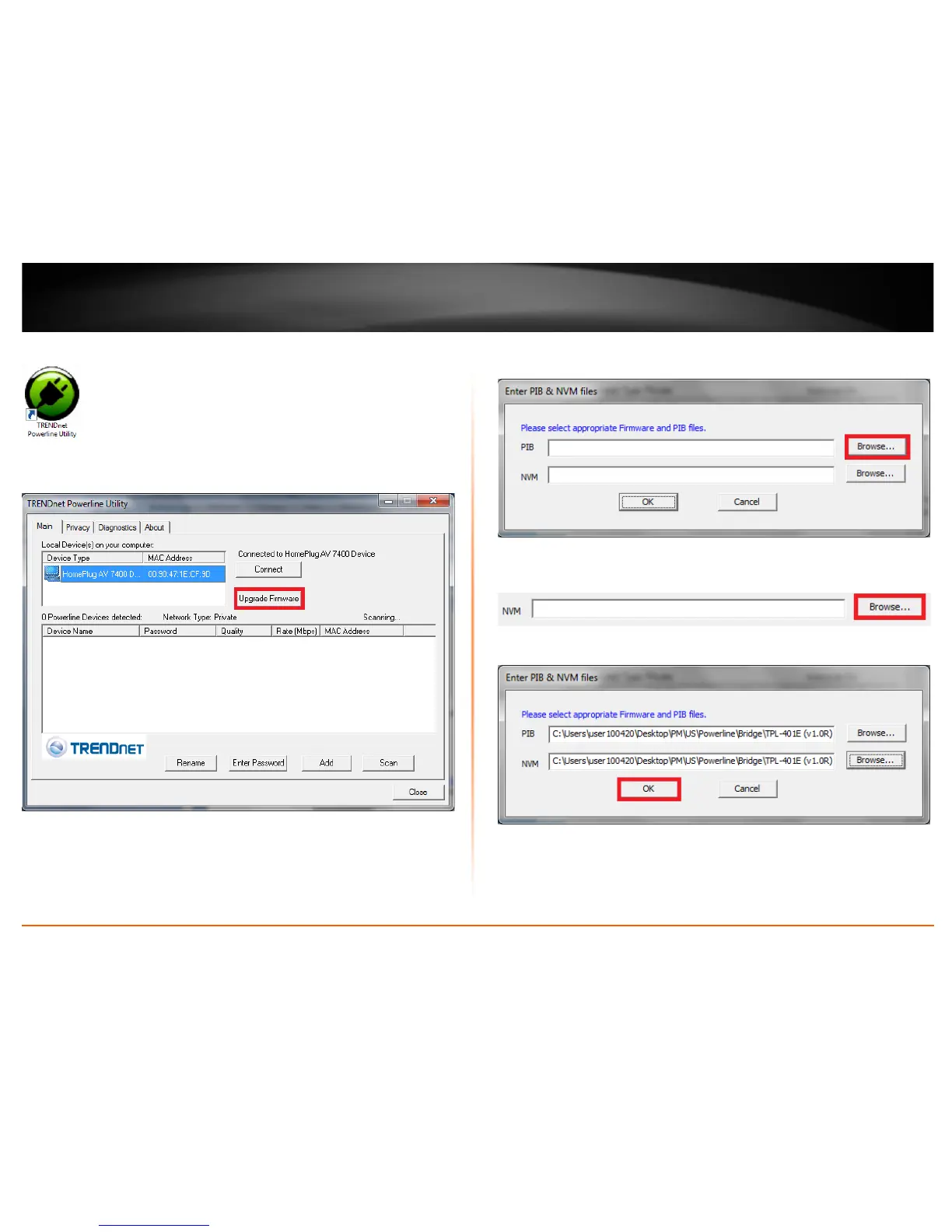
4. Launch the Powerline Utility by double-clicking the icon.
5. The device should appear in the Main window of the utility under Local Device. Click
Upgrade Firmware.
6. Click Browse next to the PIB field and navigate to the unzipped folder with the
firmware files. Select the PIB file. (Ex. TPL-401E-PIB-v50100.pib)
7. Click Browse next to the NVM field and navigate to the unzipped folder with the
firmware files. Select the NVM file. (Ex. TPL-401E-NVM-v5.0.1-0-0-X-FINAL.nvm)
8. Click OK.
Wait until the firmware upload completed and the device reboot
Important! Do not turn off the device or press the reset button while this procedure is
in progress.














 To Next Page