© Copyright 2012 TRENDnet. All Rights Reserved.
10
TRENDnet User’s Guide
TPL-406E / TPL-406E2K
Software Installation
1. Insert the included CD-ROM into your computer’s CD-ROM drive.
2. At the CD Autorun Prompt window, click Run Autorun.exe .
Note: If the Autorun prompt does not appear automatically, open the CD contents and
double-click Autorun.exe.
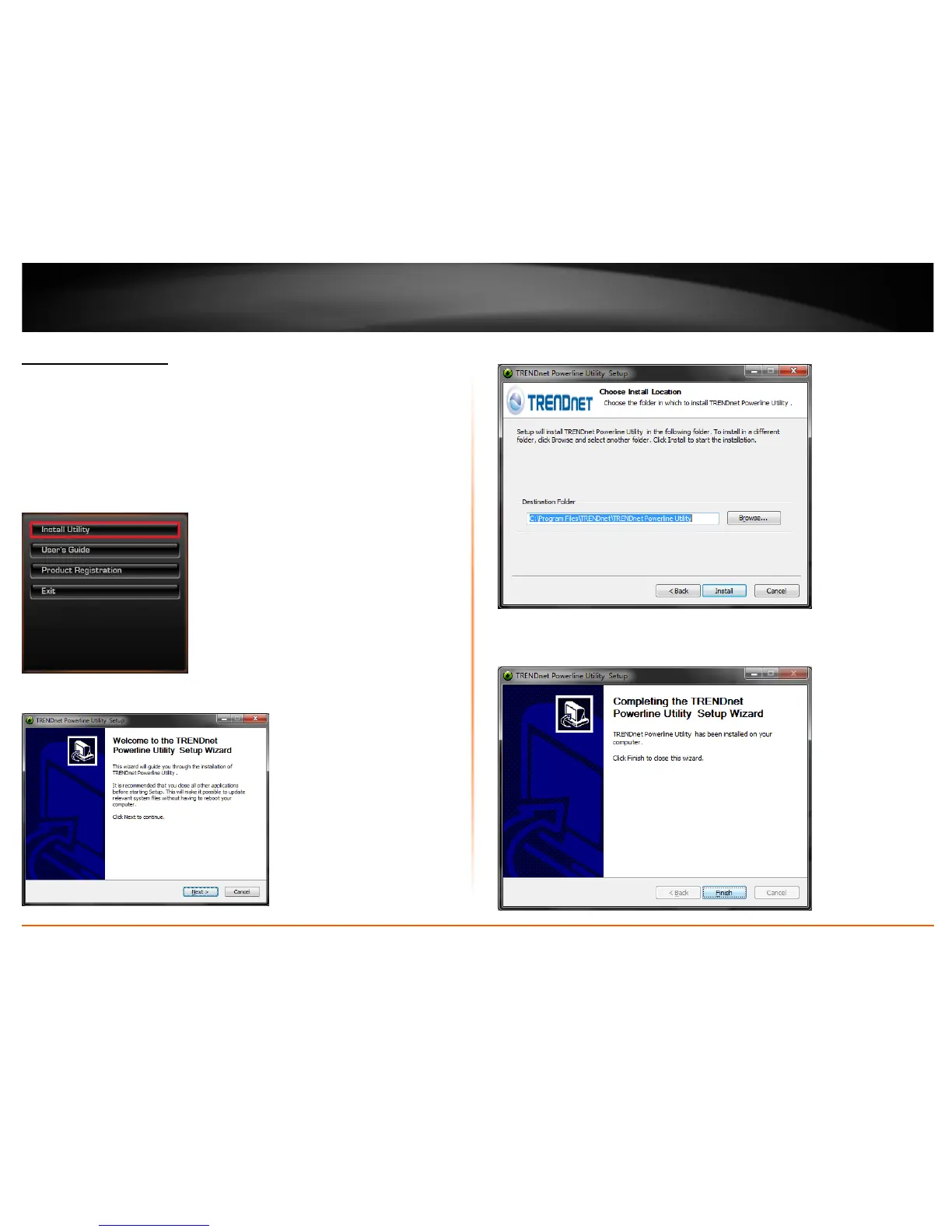
3. At the CD-ROM main menu, click Install Utility.
4. At the Powerline Configuration Utility installation window, click Next.
5. At the Install Location installation window, click Install.
6. In the Completion window, click Finish.












 To Next Page