EasyManua.ls Logo

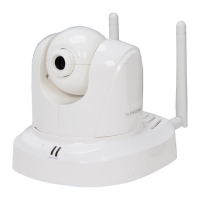
TRENDnet TV-IP612WN - User Manual

TRENDnet TV-IP612WN
18 pages
Print Icon
To Next Page IconTo Next Page
Loading...
Quick Installation Guide
TV-IP612WN
1.01

Other manuals for TRENDnet TV-IP612WN

Question and Answer IconNeed help?

Do you have a question about the TRENDnet TV-IP612WN and is the answer not in the manual?

Summary

1. Before You Start

System Requirements

Hardware and software needed to set up and use the IP camera.

2. Hardware Installation and Configuration

Initial Setup Wizard and Hardware Connection

Guide for connecting camera hardware and starting the setup wizard.

Camera Configuration Settings

Steps for setting camera name, time, and administrator password.

Wireless Network Configuration

Process for connecting the camera to a wireless network.

Post-Installation Browser Configuration

Steps to access and configure the camera via a web browser.

Live View and Camera Control

Instructions on viewing live video and controlling camera functions.

Troubleshooting

Troubleshooting Setup Wizard Detection

Steps to resolve problems with the Setup Wizard finding the camera.

Summary

1. Before You Start

System Requirements

Hardware and software needed to set up and use the IP camera.

2. Hardware Installation and Configuration

Initial Setup Wizard and Hardware Connection

Guide for connecting camera hardware and starting the setup wizard.

Camera Configuration Settings

Steps for setting camera name, time, and administrator password.

Wireless Network Configuration

Process for connecting the camera to a wireless network.

Post-Installation Browser Configuration

Steps to access and configure the camera via a web browser.

Live View and Camera Control

Instructions on viewing live video and controlling camera functions.

Troubleshooting

Troubleshooting Setup Wizard Detection

Steps to resolve problems with the Setup Wizard finding the camera.

TRENDnet TV-IP612WN Specifications

General IconGeneral
ModelTV-IP612WN
CategorySecurity Camera
Image Sensor1/4" CMOS
Night VisionYes
WirelessYes
Wireless StandardsIEEE 802.11b/g/n
Motion DetectionYes
Email AlertsYes
Resolution640 x 480
IR LEDs6
Ethernet10/100 Mbps
StorageMicroSD card slot
ProtocolsTCP/IP, UDP, HTTP, SMTP, FTP, DHCP, DDNS, NTP, UPnP
SecurityWEP, WPA
Operating Temperature0°C to 40°C (32°F to 104°F)
TypeWireless PTZ Network Camera

Related product manuals