Need help?
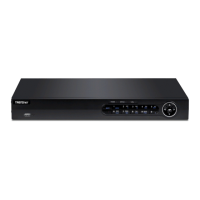
Do you have a question about the TRENDnet TV-NVR208 and is the answer not in the manual?
Highlights the key capabilities and specifications of the 8-Channel 1080p HD PoE+ NVR.
Step-by-step walkthrough for initial NVR configuration including network, time, and password.
Instructions for accessing the NVR's web management interface with user credentials.
Procedure for resetting the NVR password via technical support if lost or forgotten.
Details on adding and configuring cameras, including IP address, protocol, and model information.
Configuring motion detection sensitivity, draw areas, and enabling the feature.
Configuring basic system parameters like language, resolution, time, and date.
Setting up IP addresses, subnet masks, gateways, and DNS for network connectivity.
Setting up sender and receiver email accounts for system alerts and notifications.
Setting video output, view mode (single/multi-screen), and dwell time for live video.
Creating new user accounts and modifying existing ones with different permission levels.
Searching system logs by time range, type, and minor type for event analysis.
Steps for performing local and remote firmware updates to the NVR.
Configuring and running S.M.A.R.T. tests to check hard drive health and predict failures.
Performing a scan to identify and report any bad sectors on the hard drive.
Formatting and initializing hard drives for NVR operation.
Creating custom schedules for continuous or motion detection recording for cameras.
Configuring video quality, resolution, and encoding for the primary recording stream.
Introduction to the playback interface, including controls, timeline, and channel selection.
How to select cameras and dates to find specific recorded video segments.
Lists default NVR settings and initial steps for accessing the NVR through a web browser.
Detailed steps for logging into the NVR via web browser on Windows systems.
Detailed steps for logging into cameras via web browser on OS X systems.
Adding, modifying, and managing user accounts with access permissions.
Steps for performing local and remote firmware updates to the NVR.
Configuring Ethernet duplex, speed, MAC address, MTU, DNS, and IP addresses.
Configuring video encoding, resolution, bitrate type, and quality for camera streams.
Creating privacy masking areas on video feeds to obscure sensitive information.
Setting up recording schedules, pre/post-record times, and overwrite policies.
Configuring motion detection sensitivity, draw areas, and enabling the feature.
Configuring video tampering detection, sensitivity, and draw areas.
Setting up sender and receiver email accounts for system notifications.
Formatting and initiating internal hard drives for NVR video recording storage.
Guidance on installing the NVR and cameras on a network for remote access and management.

 To Next Page

 General