EasyManua.ls Logo

TRENDnet TV-NVR2208 - User Manual

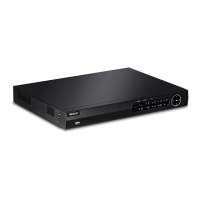
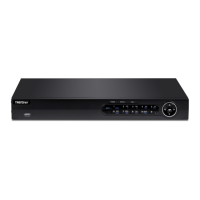
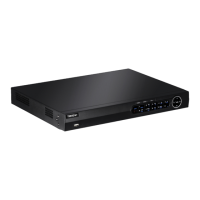
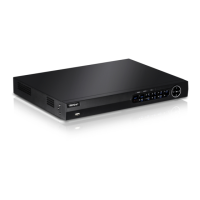
TRENDnet TV-NVR2208
108 pages
Print Icon
To Next Page IconTo Next Page
Loading...

TRENDnetUser’sGuide
CoverPage

Table of Contents

Question and Answer IconNeed help?

Do you have a question about the TRENDnet TV-NVR2208 and is the answer not in the manual?

Summary

Basic System Setup

Setup Wizard Guide

Guides through the initial NVR configuration process.

Main Menu Navigation

Logging into Management Pages

Guides on initial login to the NVR's management interface.

Password Management

Restore Default Password

Instructions for resetting the NVR password to factory defaults.

NVR Power and Session Management

Camera Configuration

Camera Connection Settings

Configures network settings for connecting cameras to the NVR.

Camera Connection Details

Plug-and-Play Camera Installation

Describes the easy installation method for compatible cameras.

Manual Camera Installation

PTZ Camera Controls

Motion Detection Setup

Motion Detection Scheduling

Arming Schedule Configuration

Sets the schedule for when motion detection is active.

Video Tampering Detection

Video Tamper Settings

Configures the arming schedule for video tamper detection.

Video Loss Detection

Configuration Menu

Network Settings

General Network Configuration

Sets up the network interface and IP addressing.

Network Services

DDNS Configuration

Configures Dynamic Domain Name Service for remote access.

Email Notification Setup

Configures email accounts for receiving notifications.

Live View Configuration

Event Handling and Notifications

Exception Notification Setup

Sets up actions for system events like HDD errors or network disconnections.

User Account Management

Add User Account

Adds a new user account with specific permissions.

Maintenance Menu Overview

System Maintenance Details

Camera Information Display

Displays connection status and settings for each camera.

Log Management

Log Search Functionality

Filters and finds log entries by time range and type.

Configuration Management

Import;Export Configuration Settings

Saves or loads NVR settings to/from a USB drive.

Firmware Upgrade Procedures

Updates the NVR's firmware via local or remote methods.

System Defaults and Monitoring

Factory Default Reset

Resets all NVR settings to factory defaults.

Hard Drive Maintenance

S.M.A.R.T. Drive Testing

Configures and initiates S.M.A.R.T. tests for disk health.

Hard Drive Management

Format and Initialize Hard Drive

Formats and initializes the NVR's hard drive.

Recording Management

Scheduled Recording Setup

Configures recording schedules for cameras.

Video Quality Settings

Backup and Export Videos

Export Recorded Videos

Exports recorded video files for backup.

Video Playback Operations

Video Playback Search and Controls

Search for Video Recordings

Finds recordings by selecting camera and date.

Web Browser Access

Browser Access Requirements

Initial Camera Login (OS X)

Guides on initial login to the NVR using OS X.

Initial NVR Login (Windows)

Guides on initial login to the NVR using Windows.

Basic Live View Interface

Live View Stream Controls

Playback Operations and Controls

Video Search and Navigation

Finds recordings and navigates using the timeline.

Log and System Information

Advanced System Settings

User Account Management

Manages user accounts for NVR stream access.

Time and Date Settings

Daylight Savings and Live View

Live View Quality Settings

Sets live view video quality, file size, and saving directories.

Live View Settings Details

Maintenance Operations Summary

Restarts, loads camera settings, and upgrades firmware.

Maintenance Operations

Firmware Upgrade and Camera Management

Covers firmware updates and camera settings modification.

Network Configuration

TCP;IP Network Settings

Configures basic IPv4 and IPv6 network settings.

Network Configuration Services

DDNS Service Setup

Configures DDNS for camera discovery via domain name.

Virtual Host and Video Formatting

Video Format Settings

Adjusts video stream settings like encoding and resolution.

Video Overlay and Privacy Masking

Privacy Mask Setup

Creates masking areas for privacy protection.

Video Recording Schedule

Event Configuration: Motion Detection

Event Configuration: Motion Detection Actions

Event Configuration: Video Tampering

Event Configuration: Exception Notifications

Event Configuration: Email Notifications

Storage Management

Hard Drive Management

Manages hard disk drives for video recording.

Appendix: Network Connectivity

Install NVR System on Network

Guides on setting up the NVR for remote network access.

Limited Warranty Information

Summary

Basic System Setup

Setup Wizard Guide

Guides through the initial NVR configuration process.

Main Menu Navigation

Logging into Management Pages

Guides on initial login to the NVR's management interface.

Password Management

Restore Default Password

Instructions for resetting the NVR password to factory defaults.

NVR Power and Session Management

Camera Configuration

Camera Connection Settings

Configures network settings for connecting cameras to the NVR.

Camera Connection Details

Plug-and-Play Camera Installation

Describes the easy installation method for compatible cameras.

Manual Camera Installation

PTZ Camera Controls

Motion Detection Setup

Motion Detection Scheduling

Arming Schedule Configuration

Sets the schedule for when motion detection is active.

Video Tampering Detection

Video Tamper Settings

Configures the arming schedule for video tamper detection.

Video Loss Detection

Configuration Menu

Network Settings

General Network Configuration

Sets up the network interface and IP addressing.

Network Services

DDNS Configuration

Configures Dynamic Domain Name Service for remote access.

Email Notification Setup

Configures email accounts for receiving notifications.

Live View Configuration

Event Handling and Notifications

Exception Notification Setup

Sets up actions for system events like HDD errors or network disconnections.

User Account Management

Add User Account

Adds a new user account with specific permissions.

Maintenance Menu Overview

System Maintenance Details

Camera Information Display

Displays connection status and settings for each camera.

Log Management

Log Search Functionality

Filters and finds log entries by time range and type.

Configuration Management

Import;Export Configuration Settings

Saves or loads NVR settings to/from a USB drive.

Firmware Upgrade Procedures

Updates the NVR's firmware via local or remote methods.

System Defaults and Monitoring

Factory Default Reset

Resets all NVR settings to factory defaults.

Hard Drive Maintenance

S.M.A.R.T. Drive Testing

Configures and initiates S.M.A.R.T. tests for disk health.

Hard Drive Management

Format and Initialize Hard Drive

Formats and initializes the NVR's hard drive.

Recording Management

Scheduled Recording Setup

Configures recording schedules for cameras.

Video Quality Settings

Backup and Export Videos

Export Recorded Videos

Exports recorded video files for backup.

Video Playback Operations

Video Playback Search and Controls

Search for Video Recordings

Finds recordings by selecting camera and date.

Web Browser Access

Browser Access Requirements

Initial Camera Login (OS X)

Guides on initial login to the NVR using OS X.

Initial NVR Login (Windows)

Guides on initial login to the NVR using Windows.

Basic Live View Interface

Live View Stream Controls

Playback Operations and Controls

Video Search and Navigation

Finds recordings and navigates using the timeline.

Log and System Information

Advanced System Settings

User Account Management

Manages user accounts for NVR stream access.

Time and Date Settings

Daylight Savings and Live View

Live View Quality Settings

Sets live view video quality, file size, and saving directories.

Live View Settings Details

Maintenance Operations Summary

Restarts, loads camera settings, and upgrades firmware.

Maintenance Operations

Firmware Upgrade and Camera Management

Covers firmware updates and camera settings modification.

Network Configuration

TCP;IP Network Settings

Configures basic IPv4 and IPv6 network settings.

Network Configuration Services

DDNS Service Setup

Configures DDNS for camera discovery via domain name.

Virtual Host and Video Formatting

Video Format Settings

Adjusts video stream settings like encoding and resolution.

Video Overlay and Privacy Masking

Privacy Mask Setup

Creates masking areas for privacy protection.

Video Recording Schedule

Event Configuration: Motion Detection

Event Configuration: Motion Detection Actions

Event Configuration: Video Tampering

Event Configuration: Exception Notifications

Event Configuration: Email Notifications

Storage Management

Hard Drive Management

Manages hard disk drives for video recording.

Appendix: Network Connectivity

Install NVR System on Network

Guides on setting up the NVR for remote network access.

Limited Warranty Information

TRENDnet TV-NVR2208 Specifications

General IconGeneral
SnapshotYes
Number of users32 user(s)
Languages supportDEU, ENG, ESP, FRE, POR
Maximum frame rate30 fps
Maximum resolution1920 x 1080 pixels
Video input channels8 channels
Supported resolutions1920 × 1080p / 60 Hz, 1600 × 1200p / 60 Hz, 1280 × 1024 / 60 Hz, 1280 × 720 / 60 Hz, 1024 × 768 / 60 Hz
Networking standardsIEEE 802.3, IEEE 802.3ab, IEEE 802.3u, IEEE 802.3x
USB 2.0 ports quantityUSB 2.0 ports have a data transmission speed of 480 Mbps, and are backwards compatible with USB 1.1 ports. You can connect all kinds of peripheral devices to them.
Ethernet LAN data rates10, 100, 1000 Mbit/s
Supported network protocolsHTTP, UPnP, RTSP, RTP, RTCP, DHCP, NTP, DNS, DDNS, SMTP, FTP, SNMP v2, IPv4, IPv6, UDP, TCP, ICMP, SSL, TLS, ONVIF v2.2
USB 3.2 Gen 1 (3.1 Gen 1) Type-A ports quantity1
HDD size3.5 \
HDD capacity0 GB
HDD interfaceSerial ATA II
Maximum storage capacity12 TB
Number of HDDs installed0
Number of HDDs supported2
CertificationCE, FCC, UL
Product colorBlack
LED indicatorsHDD, Network, Power
Output current3.33 A
Output voltage12 V
AC input voltage100-240 V
AC input frequency50 - 60 Hz
Operating temperature (T-T)-10 - 55 °C
Operating relative humidity (H-H)0 - 90 %
Cables includedHDMI, SATA
Wi-FiNo
Mobile operating systems supportedAndroid, iOS
Weight and Dimensions IconWeight and Dimensions
Depth270 mm
Width380 mm
Height45 mm
Weight1640 g
Package typeBox

Related product manuals