EasyManua.ls Logo

Tresanti ODP40557-D908 - User Manual

Tresanti ODP40557-D908
28 pages
Print Icon
To Next Page IconTo Next Page
Loading...
ODP40557-D908,
ODP40557-D913,ODP40557-D978
ITM. / ART. 1414575
ITM. / ART. 1414579
ITM. / ART. 1517974
tsicustomerservice.com
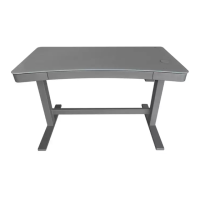
ADJUSTABLE HEIGHT DESK
BUREAU À HAUTEUR RÉGLABLE
ESCRITORIO DE ALTURA AJUSTABLE
1-866-661-1218
Countries serviced: USA, Canada, Mexico, UK
(English, French, Spanish) 8:30 AM – 5:30 PM EST Monday – Friday
Les pays desservis : États-Unis, Canada, Mexique, Royaume-Uni
(Anglais, Français, Espagnol) De 8 h 30 à 17 h 30 HE, du lundi au vendredi
Países de servicio: E.U.A., Canadá, México, y el Reino Unido
(Inglés, Francés, Español) 8:30 AM – 5:30 PM EST Lunes – Viernes
(Teléfono no válido en México, por favor visite tsicustomerservice.com)

Questions and Answers

  • D
    Daniel KennedyAug 6, 2025
    How to reset Tresanti ODP40557-D908 desk when display shows RES?
    • A
      Aaron BernardAug 6, 2025
      If the display on your Tresanti Indoor Furnishing indicates 'RES', it means the desk needs to be reset to accurately display the height. To reset it, press and hold the UP and H3 buttons for 8 seconds. You'll hear a beep, and 'RES' will flash on the display. Release the buttons, and the desk will move to its lowest position, showing 'bot' on the display. Once this is complete, the desk is reset and ready for normal use.
  • M
    Mrs. Jennifer HowardAug 11, 2025
    Why does my Tresanti ODP40557-D908 desk height adjust on its own?
    • D
      derek73Aug 11, 2025
      If your Tresanti Indoor Furnishing desk height adjusts unintentionally, it is likely that the lock button is not engaged. To prevent this, set the desk to your desired height and then press the lock button to lock the control panel.
  • A
    Ashley AndrewsAug 18, 2025
    What to do if Tresanti ODP40557-D908 displays E1 error?
    • Y
      ymoralesAug 18, 2025
      If the display of your Tresanti Indoor Furnishing shows 'E1', it indicates that the motor has overheated. To resolve this, unplug the power cord and plug it back in after 18 minutes.
  • J
    Jennifer OdonnellAug 25, 2025
    What to do if Tresanti Indoor Furnishing motor is stuck?
    • S
      Samantha YatesAug 25, 2025
      If the motor of your Tresanti Indoor Furnishing is stuck, visually inspect for any foreign materials or objects obstructing the motor or its shaft. Additionally, unplug the power cord for 5 minutes before plugging it back in. Also, inspect for any loose electrical connections between the power cord and the adapter, or from the adapter to the motor.
  • A
    Amber TaylorAug 29, 2025
    How to change measurement units on Tresanti ODP40557-D908?
    • T
      Thomas FisherAug 30, 2025
      To change the display measurement on your Tresanti Indoor Furnishing, press and hold the Lock button on the side of the desk for 5 seconds. This will change the factory setting.

Summary

CUSTOMER SUPPORT

Contact Information

Provides customer service phone number and website for support.

PRODUCT DETAILS

Purchase & Model Information

Fields for recording purchase details, model number, and notes.

PRODUCT INFORMATION

Important Instructions

Essential safety advice for using electrical appliances.

Technical Specifications

Lists key technical details like voltage, load, and lift range.

SAFETY GUIDELINES

Warnings and Cautions

Highlights critical safety warnings and cautions for assembly and use.

HARDWARE AND PARTS

Component Identification

Identifies and labels hardware components (AA, BB, CC) with quantities.

USAGE LIMITS

Maximum Load Capacity

Specifies the maximum weight the desk top and frame can support.

ASSEMBLY STEP 1: ATTACHING LEGS

ASSEMBLY STEP 2: CONNECTING COMPONENTS

ASSEMBLY STEP 3: CABLE MANAGEMENT

ASSEMBLY STEP 4: FINAL PLACEMENT AND LEVELING

OPERATION GUIDE

Control Panel Functions

Explanation of the control panel buttons, display, and memory presets.

USB Port Usage

Details on the desk's USB charging ports and their capabilities.

Wireless Charger Operation

Instructions and tips for using the integrated wireless charger.

OPERATION FEATURE

GetActive Timer Function

How to use the timer feature for desk height adjustments.

REGULATORY INFORMATION

FCC Compliance

FCC rules and compliance statements for digital devices.

Canadian Compliance

Canadian ICES-003 and RSS standards compliance.

TROUBLESHOOTING

Display and Measurement Issues

Solutions for problems related to display measurements and settings.

TROUBLESHOOTING (CONTINUED)

Load and Motor Errors

Troubleshooting for errors related to load capacity and motor issues.

TROUBLESHOOTING (CONTINUED)

Voltage, Reset, and Motor Failure

Resolving voltage issues, desk reset procedures, and motor failure.

TROUBLESHOOTING (CONTINUED)

Wireless Charger Issues

Troubleshooting for wireless charger compatibility and functionality.

TROUBLESHOOTING (CONTINUED)

Charging Time and Connectivity

Addressing slow charging and intermittent wireless charger connection.

CARE AND MAINTENANCE

Cleaning and Protection

Guidelines for cleaning, dusting, and protecting the desk surface.

REPLACEMENT PARTS

Part Identification

Visual guide to identify and order replacement parts.

ADDITIONAL NOTES

General Remarks

Section for general notes or remarks not covered elsewhere.

Tresanti ODP40557-D908 Specifications

General IconGeneral
Model NumberODP40557-D908
Heat Output5200 BTU
Heating AreaUp to 1000 sq ft
Power1500 Watts
Voltage120V
Remote ControlYes
Adjustable FlameYes
Adjustable ThermostatYes
TimerYes
CategoryIndoor Furnishing
Weight CapacityUp to 100 lbs
Height32 inches
Product TypeElectric Fireplace
MaterialMetal

Related product manuals