1.1 Features
•
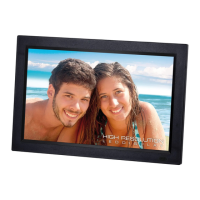
Supports JPG,PNG format picture browsing; supports image rotation, scaling; supports auto
play with multiple special effects, supports background music playback;
•
Clock and calendar display: supports calendar, month calendar and clock display; supports MP3
and WMA audio file format playback; supports AVI, MP4, MKV, RMVB, MOV video file format
playback;
•
Can set for system parameters and functions;
•
Supports a large variety of cards, including: SD, MMC, etc., and supports software upgrading via
SD card;
•
Supports USB2.0, can be configured as USB OTG; supports a large variety of U disk, MP3 and
other USB devices;
•
Support infrared remote control.
2. KEY DEFINITIONS IN THE REMOTE CONTROL
Users can use the remote control to achieve full functions. Key definitions in the remote control are
as below:
1.
MUTE: Press to turn off the sound when
playing; press again to re-open the sound.
2.
STANDBY: Press to enter into standby mode
when playing; press again to return.
3.
PHOTO: Picture playback shortcuts.
4. MUSIC: Music playback shortcuts.
5. MOVIE: Movie Playback shortcuts,
6. PLAY/PAUSE: Play / Pause.
7. UP: Cursor up key.
8. EXIT: Return key.
9. LEFT: Cursor left key.
10. ENTER: Confirm key.
11. RIGHT: Cursor right key.
12. SETUP: Setting Shortcuts.
13. DOWN: Cursor down key.
14. CALENDAR: Clock and calendar shortcuts.
15. VOL+: The button to increase the sound
volume.
16.
◄◄:
Rewind key.
17. PREVIOUS: Move to previous picture, song or
video.
18. VOL-: The button to decrease the sound
volume.
19.
►►:
Fast forward key.
20. NEXT: Move to next picture, song or video.
21. Slid show: Play photos+music


 To Next Page