30
4. Charging battery
CHARGING THROUGH POWER SUPPLY
1. A device turned off, connect the Micro USB plug of the supplied cable to the Micro
USB phone (to use the supplied cable only).
2. Connect the USB outlet on the same power supply cable and plug the latter to a standard
wall outlet.
3. The device will turn on for a few seconds to show the battery icon with it is charging.
4. When the battery is fully charged (the icon is no longer moving), disconnect the power
supply from the wall outlet and then disconnect the plug from the Micro USB phone.
CHARGING THROUGH COMPUTER
You can also charge your phone by plugging it into a USB port of a computer using, simply,
the supplied USB cable.
Notes:
• Use only the Micro USB cable supplied.
• Use only the mains adapter supplied, different power supplies may damage the battery.
• You can use the device even when it is charging, but, for longer life battery, not
recommended for use; Furthermore, using the apparatus, the timing of Charging may
take longer.
• While charging the device can increase in temperature, this does not affect performance
and machine life.
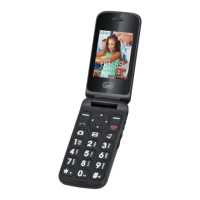
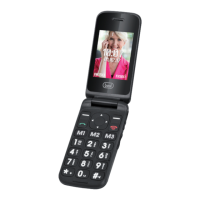
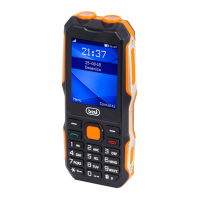
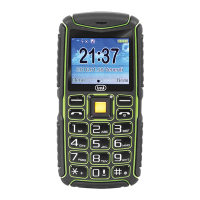
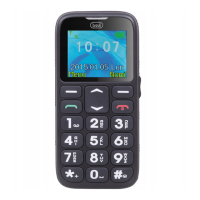
5. Keys Function
1. Earphone jack (3.5mm)
2. Micro USB socket.
3. Camera.
4. LED Flash camera.
5. Speaker Phone.
6. Display.
7. Multifunction button, the display shows
each time its function.
8. Dial key.
9. M1, Family number 1.
10. Key * (asterisk).
11. Numeric/letters keys.
12. Key #.
13. M3, Family number 3.
14. M2, Family number 2.
15. End call and power On/Off function
(when long press).
16. Multifunction button, the display shows
each time its function.
17. Left, Right, Up, Down navigation keys
+ confirms button.
18. On/off tourch function (when long press).
19. Volume control.
20. SOS dialing.
21. Speaker.
22. Metal pins for phone connection.
23. Micro USB socket.
ENGLISH


 To Next Page