24
usingthevirtualkeyboard.
•ClicktheEnterkeyonyourkeyboardandwaituntilyouseethemessage“Connected
successfully.”
•Todisablethenetwork:selectthenetworkconnectionandthenthecommand“Delete
network.”
SPECIAL FUNCTIONS
ThisdeviceisequippedwithfeatureslikeBLUETOOTH,MIRACAST,AIRPLAYandMEDIA
CENTERforsendingandreceivingfileswithouttheuseofcables.
BLUETOOTH:
IP365S2isequippedwithaBluetoothsystemfortransmitting/receivingfilesbetweenthe
deviceandotherdeviceswiththisfeature.
Bluetooth Activation:
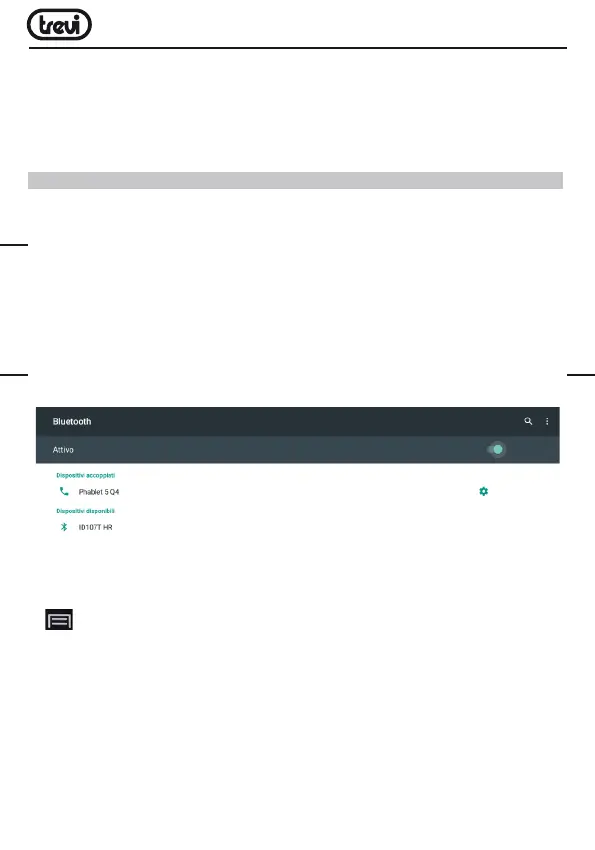
•Fromthemainpageclick“Settings”-“Moresettings”andselectthe“Bluetooth”icon.
TurnBluetoothbringingON(turngreen)theswitchintheupperright.
•ToturnofftheBluetoothconnection,bringthecommandtoOFF(becomescoloredGrey).
Search devices:
•OnceactivatedBluetooth,thedevicewillautomaticallystartasearchofavailabledevices.
Ifyouwanttoperformanewsearch,selectcommand“Refresh”afteryoupressthe
Menu button (18) on the remote control.
•Youwillseealistofalldevicesavailable.
Pairing with devices:
•Fromthelistdisplayedselectthedevicetobecoupled.Afterconnectionunderthename
ofthedevicewilldisplay“Connected”.
•IfaPINisrequired,thisshouldbeindicatedinanalyzerwhichyou’retryingtopair,if
not try “0000” or “1234”.
•Aftermatingispossibletotransmit/receivefilesbetweenIP365S2andotherdevices.
ENGLISH



 To Next Page