KEY INSTRUCTION
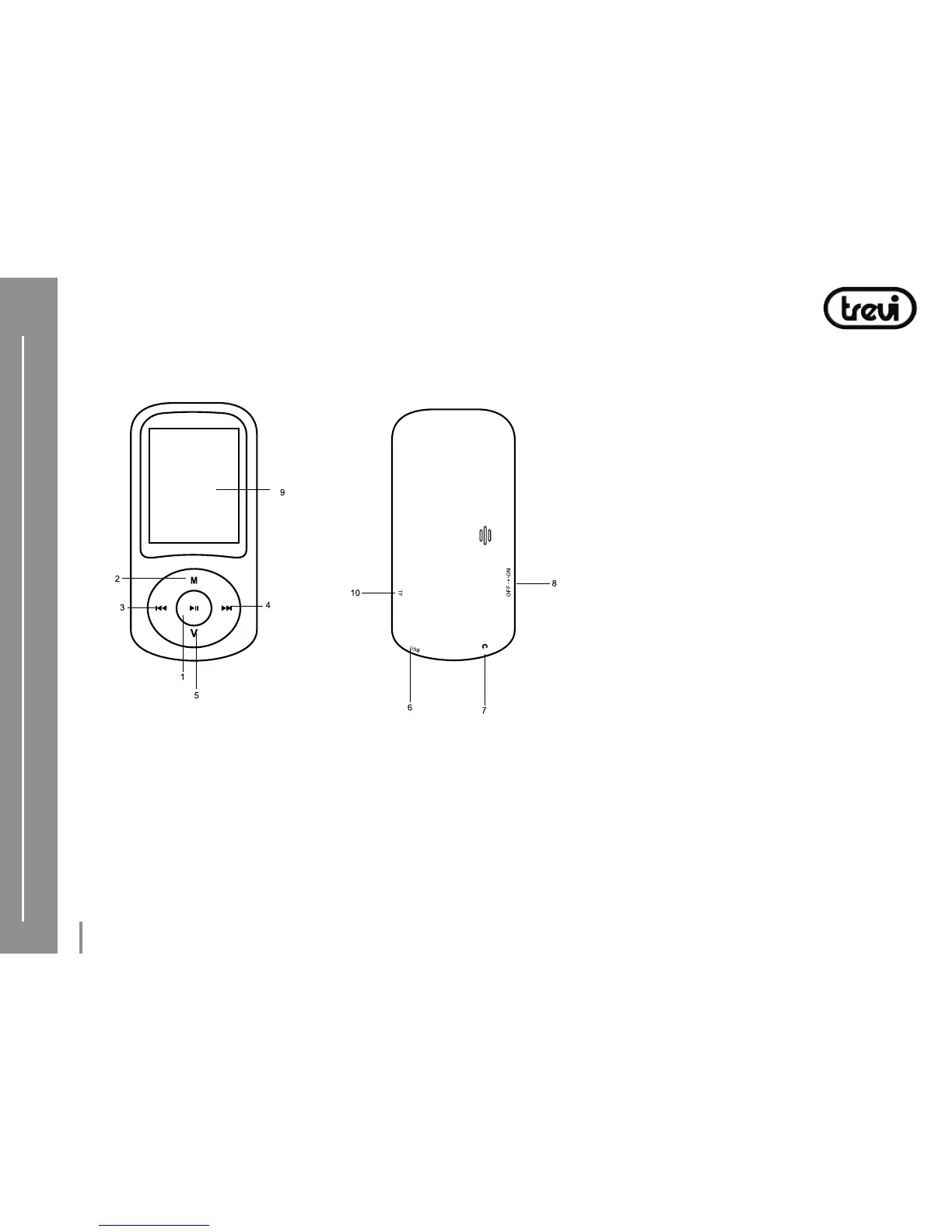
1) Play/Pause button “”: Open / play / pause / stop.
2) Menu button “M”: Get into main menu / return to previous menu.
3) Previous button “”: Previous song / fast rewind.
4) Next button “”: Next song/fast forward.
5) Volume button “V”
6) USB port: For USB cable / PC connecting / Charging.
7) Earphone jack
8) ON/OFF button: Power on/off
9) Display
10) Micro SD card slot
HOW TO INSERT AND TAKE OUT MICRO SD
Before switch on the player, it is necessary to insert micro SD card in the micro SD slot,
Micro SD card has to be inserted with not silkscreened part at the top.
Push the micro SD into the slot until you hear a “click” sound.
To take out the micro SD: push the card into the slot and pull it out.
.



 To Next Page