OPERATION
SWITCH ON:
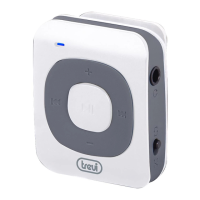
Switch the power key to “on” position or long press Play Key “” when the switch is in “ON”
position.
Note: Do push the power key to be “on” while charging.
SWITCH OFF:
Long press Play Key “” or switch the power key to “OFF” position.
Note:
1) To charge the battery is necessary to connect the player to a PC.
2) Files read time depends on the transmit speed of micro SD card.
3) Maximun support 8GB of micro SD.
MENU
While switch on the player, it will direct to main menu interface. Press “”/“” to select “Music”,
“Movie”, “Record”, “Voice”, “FM Radio”, “Photo”, “Setup”, “E-book”, “Game”, “Browser” mode,
MUSIC
Short press “M” key to get into music play interface, then press Play Key “” to playback the song.
Long press “M” key to return to main menu.
By pressing “M” key when in stop mode and you will enter the following submenu:
1) Local folder: press “M” key to enter list of music file.
2) Card folder: (if you insert the card to the unit).
3) Delete file: After select one file, press “M” key to delete, press Play Key “” to return.
4) Delete all: Press “M” key to enter delete all music files, press “M” key to delete, press Play
Key “” to return.
5) Exit.
By pressing “M” key when in playing mode and you will enter the following submenu:
• Repeat: Normal, Repeat one ,Folder,Repeat folder, Repeat all,Random, Intro
• Equalizer: Natural,Rock,Pop,Classic,Soft,Jazz and DBB.
• Replay mode: Replay, Replay times, Replay gap.
• SRS WOW: SRS WOW, User setting, Disable SRS WOW 4.
• Exit.
To move between option press “”/“”, press “M
Short press Play Key “” to return to previous menu.
Adjust volume :
In playback mode short press “V”, then press “”/“” to decrease volume or increase volume.
Song words display:
words, long press “M” key to get into the display interface when playing, short press “M” key to exit.
File management:
In stop mode, press “”/“” to select next or previous folder.



 To Next Page