1
OM 3540 D
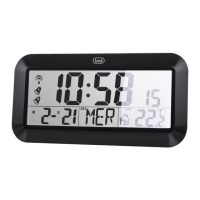
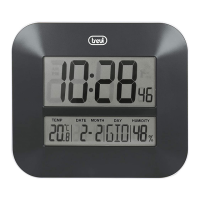
DIGITAL WALL CLOCK
1. Tasto DOWN °C/°F
- In impostazioni, regolazione numerica verso il basso.
- Visualizzazione della temperatura in °C o °F.
- Attivazione/disattivazione Radio controllo.
2. Tasto UP, in impostazioni regolazione numerica verso l’alto.
3. Tasto MODE
- Tenere premuto per 3 sec. per regolare le impostazioni
manualmente.
- Attivare/disattivare l’allarme.
4. Piedistallo.
5. Tasto SNOOZE, attivazione funzione Snooze.
6. Tasto ALARM, tenere premuto 3 secondi per entrare in modalità
impostazione della sveglia.
7. Vano batterie.
8. Fori per affissione a muro.
9. Simbolo radio controllo, segnale radio agganciato.
10. Icone Allarme1/2 attivato.
11. Icona funzione Snooze attiva.
ACCENSIONE
1. Aprire il vano batterie (7) posto sul retro.
2. Inserire 3 batterie formato “AA” rispettando le polarità indicate.
- Se non vengono visualizzati i dati della temperatura interna
dopo 60 secondi, togliere le batterie dall’orologio e premere
un pulsante per 20 volte.
Note:
- Rimuovere le batterie se non utilizzate l’apparecchio per un
lungo periodo di tempo.
- Sostituire le batterie quando i numeri del display diventano
meno leggibili o appare l’icona
sul display.
VISUALIZZAZIONE ORARIO TRAMITE RADIO
CONTROLLO
Questo apparecchio è dotato di un ricevitore in grado di ricevere il
segnale orario del Physikalisch Technische Bundesanstalt Braun-
schweig (Germania centrale) ricevibile in un raggio di 1500Km.
All’inserimento delle batterie si attiverà automaticamente la rice-
zione del segnale, il simbolo del radio controllo (9) lampeggerà ed
entro 24 ore verrà visualizzato il segnale orario del radio controllo
e l’indicazione del radio controllo (9) rimarrà fissa.
Nel caso si abbia la necessità di riavviare la ricezione del segnale,
tenere premuto per qulache secondo il tasto DOWN °C/°F (1).
FUSO ORARIO
L’orario viene trasmesso dalla Germania centrale, quindi se ci
troviamo in un paese con orario diverso da quello della
Germania è necessario impostare il fuso orario.
1. Una volta agganciato il segnale orario, tenere premuto per
qualche secondo il tasto MODE (3) per entrare nella regolazione
manuale dell’orologio. Comparirà la regolazione del formato
ora “24h” o “12h”.
2. Premere nuovamente il tasto MODE (3), sul display comparirà
la scritta “00” con la scritta “Zone” lampeggiante relativa al
fuso orario.
3. Impostare il fuso orario della vostra regione tramite i tasti UP
(2) o DOWN °C/°F (1).
Note:
Posizionare la stazione meteo lontana da apparecchi che generano
campi magnetici quali cellulari, televisori ecc....
Non in tutte le zone d’europa può essere possibile ricevere il
segnale del radiocontrollo. In questo caso è necessario impostare
l’ora manualmente.
REGOLAZIONE MANUALE DELL’OROLOGIO E DATA
1. Tenere premuto per qualche secondo il tasto MODE (3).
2. Premere il tasto UP (2) o DOWN °C/°F (1) per impostare la
visualizzazione nel formato 12 o 24 ore.
3. Premere il tasto MODE (3) per attivare/disattivare la funzione
DST (Daylight Saving Time). Se ci si trova in un Paese in cui
l’ora legale (estiva) non viene utilizzata, l’impostazione DST
dovrebbe essere disattivata.
4. Premere il tasto UP (2) o DOWN °C/°F (1) per attivare o
disattivare la funzione .
5. Premere il tasto MODE (3) per passare all’impostazione
dell’ora, utilizzare i tasti UP (2) o DOWN °C/°F (1) per regolarla.
6. Premere il tasto MODE (3) per passare alla regolazione dei
minuti, utilizzare i tasti UP (2) o DOWN °C/°F (1) per impostarli.
7. Premere il tasto MODE (3) per passare alla regolazione dell’an-
ITALIANO
.4
2.
1.
3.
.5
.7
.6
.8
.10
.9
11.

 Need help?
 General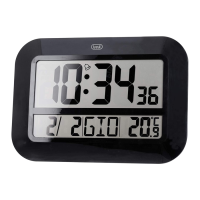

 To Next Page